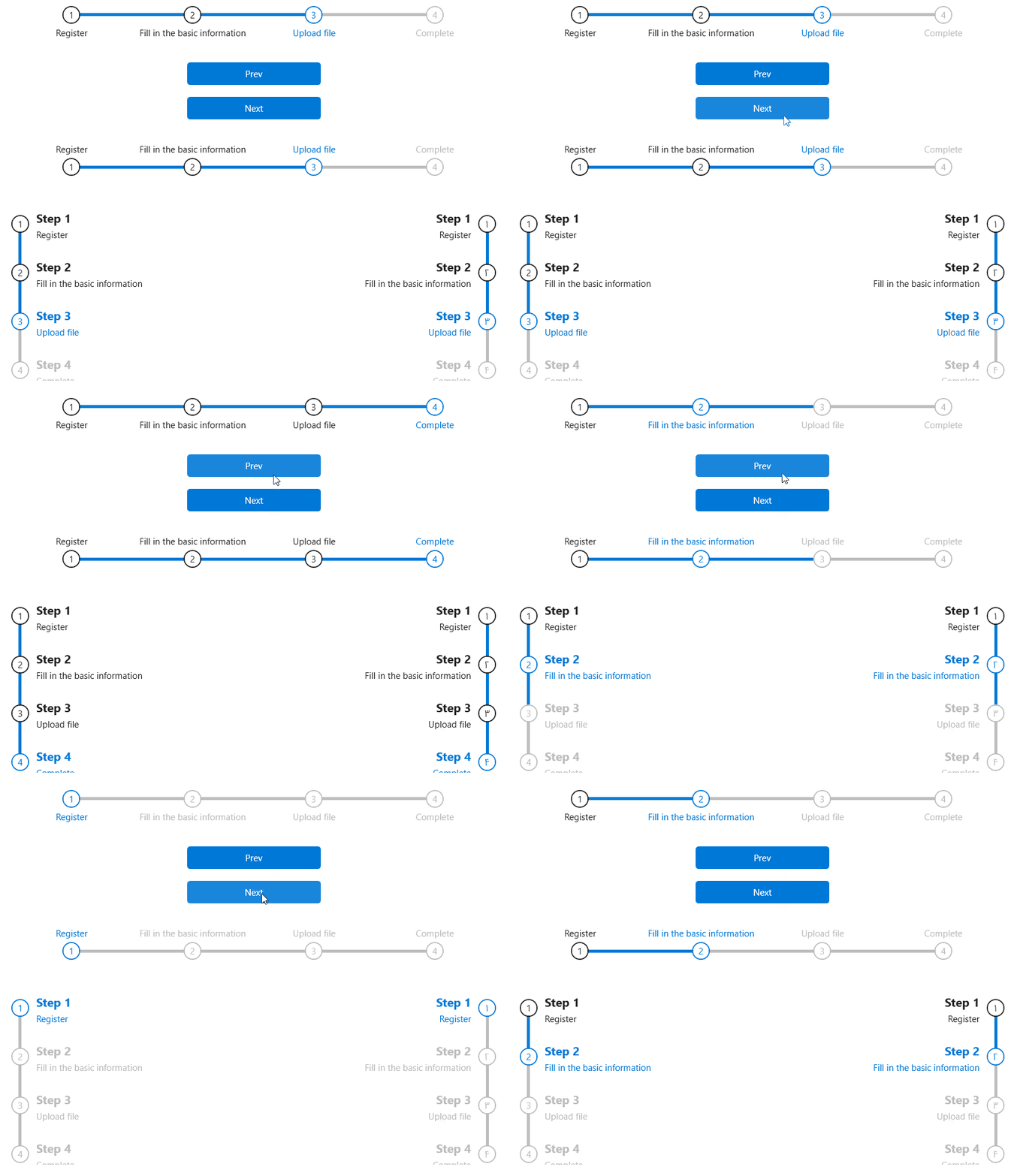
A step-by-step navigation bar that guides users to complete tasks in accordance with the process.
cs
[StyleTypedProperty(Property = "ItemContainerStyle", StyleTargetType = typeof(StepBarItem))]
[DefaultEvent("StepChanged")]
[TemplatePart(Name = ElementProgressBarBack, Type = typeof(ProgressBar))]
public class StepBar : ItemsControl
Attributes
| Property | Description | Default Value | Remarks |
|---|---|---|---|
| StepIndex | The current step number | 0 | |
| Dock | Step bar top method | Dock.Top | |
| IsMouseSelectable | Change current index by clicking on label and icon | false |
Method
| Name | Description |
|---|---|
| Next() | Jump to the next step |
| Prev() | Jump to the previous step |
Event
| Name | Description |
|---|---|
| StepChanged | Triggered when a step changes |
Case
xml
<Grid>
    <hc:StepBar Name="step">
        <hc:StepBarItem Content="Register"/>
        <hc:StepBarItem Content="BasicInfo"/>
        <hc:StepBarItem Content="UploadFile"/>
        <hc:StepBarItem Content="Complete"/>
    </hc:StepBar>
    <StackPanel>
        <Button Click="Button_Prev" Width="180" Content="Prev"/>
        <Button Click="Button_Next" Width="180" Margin="0,16,0,0" Content="Next"/>
    </StackPanel>
</Grid>
and for changing steps:
private void Button_Prev(object sender, RoutedEventArgs e)
{
    step.Prev();
}

private void Button_Next(object sender, RoutedEventArgs e)
{
    step.Next();
}
DataTemplate
you need to create a list with a model that contain Header and Content that binding to ItemsSource
 <hc:StepBar Name="step" ItemsSource="{Binding DataList}" Dock="Left">
    <hc:StepBar.ItemTemplate>
        <DataTemplate>
            <StackPanel>
                <TextBlock FontSize="16" FontWeight="Bold" HorizontalAlignment="Left">
                    <Run Text="{Binding Header}"/>
                    <Run Text="{Binding Index,RelativeSource={RelativeSource AncestorType=hc:StepBarItem}}"/>
                </TextBlock>
                <TextBlock Margin="0,4,0,0" Text="{Binding Content}"/>
            </StackPanel>
        </DataTemplate>
    </hc:StepBar.ItemTemplate>
</hc:StepBar>