
A window with a glow effect on the border, the code is extracted from Visual Studio
cs
public class GlowWindow : WindowNOTE
All hc:Window properties can be used. Click here to view
Attributes
| Property | Description | Default Value | Remarks |
|---|---|---|---|
| ActiveGlowColor | Glow color when the window is activated | ||
| InactiveGlowColor | Glow color when the window is inactive | ||
| ApplyBackdropMaterial | Apply Mica Material for window | false | Only Available in Custom Version |
Case
xml
<hc:GlowWindow x:Class="HandyControlDemo.Window.GlowWindow"
               xmlns="http://schemas.microsoft.com/winfx/2006/xaml/presentation"
               xmlns:x="http://schemas.microsoft.com/winfx/2006/xaml"
               xmlns:d="http://schemas.microsoft.com/expression/blend/2008"
               xmlns:mc="http://schemas.openxmlformats.org/markup-compatibility/2006"
               xmlns:hc="https://handyorg.github.io/handycontrol"
               xmlns:langs="clr-namespace:HandyControlDemo.Properties.Langs"
               xmlns:ex="clr-namespace:HandyControlDemo.Tools.Extension"
               mc:Ignorable="d"
               Style="{StaticResource WindowGlow}"
               Background="{DynamicResource MainContentBackgroundBrush}"
               WindowStartupLocation="CenterScreen"
               Title="{ex:Lang Key={x:Static langs:LangKeys.Title}}"
               ActiveGlowColor="{DynamicResource PrimaryColor}"
               Height="450"
               Width="800"
               Icon="/HandyControlDemo;component/Resources/Img/icon.ico">
    <Border Background="{DynamicResource MainContentForegroundDrawingBrush}"/>
</hc:GlowWindow>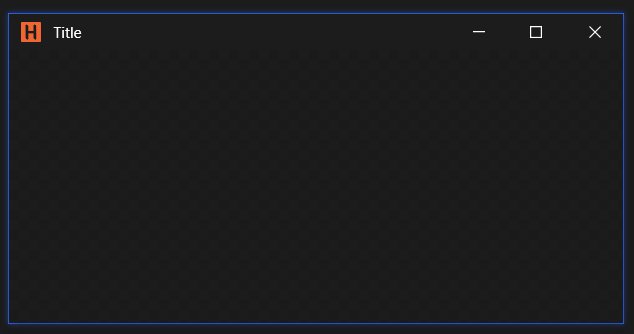
Mica Material
xml
<hc:Window x:Class="HandyControlDemo.MainWindow"
           xmlns="http://schemas.microsoft.com/winfx/2006/xaml/presentation"
           xmlns:x="http://schemas.microsoft.com/winfx/2006/xaml"
           xmlns:hc="https://handyorg.github.io/handycontrol"
           xmlns:local="clr-namespace:WpfApp4"
           ApplyBackdropMaterial="True">
    <Grid />
</hc:Window>
For synchronization with the Windows theme, set the UsingSystemTheme="True" property in the app.xaml file
xml
<ResourceDictionary>
    <ResourceDictionary.MergedDictionaries>
        <hc:ThemeResources UsingSystemTheme="True" />
        <hc:Theme />
    </ResourceDictionary.MergedDictionaries>
</ResourceDictionary>