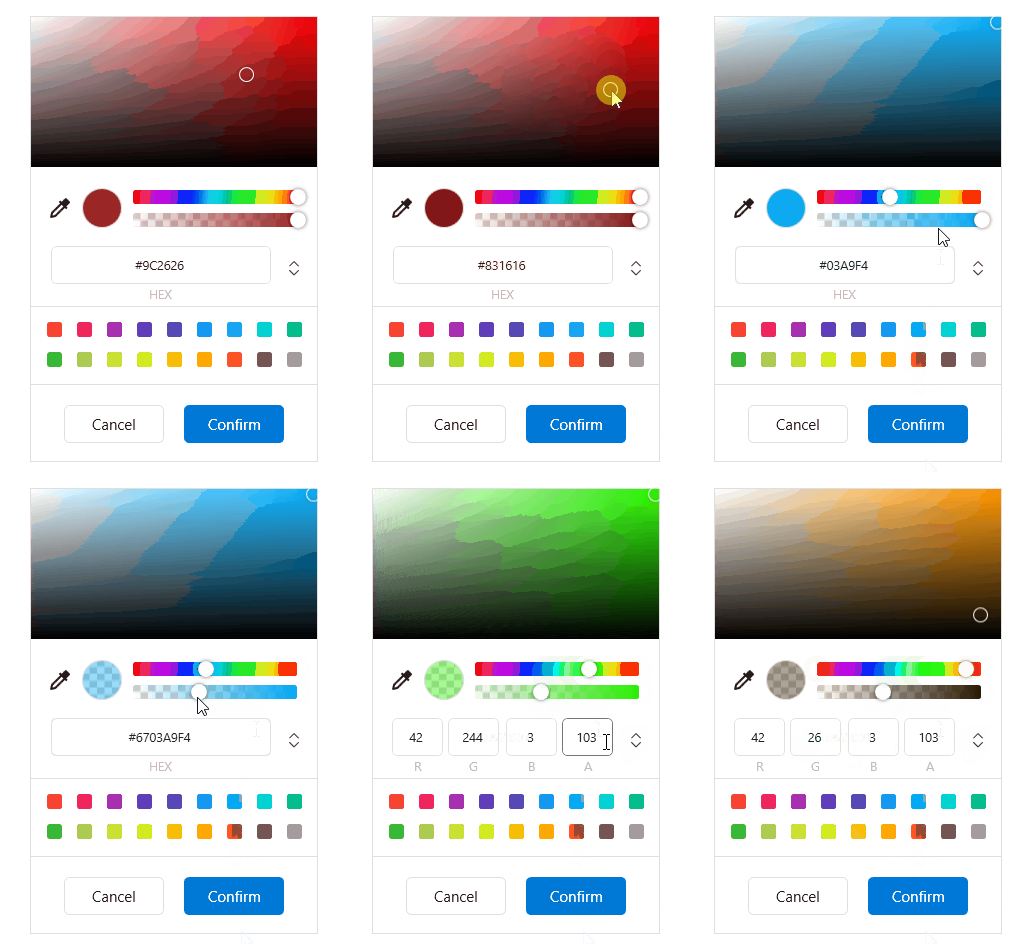
Imitate Chrome's color picker, related blog post: "WPF Control Library-Imitate Chrome's ColorPicker"
The ColorPicker is an editor that allows a user to pick a color from predefined color palettes.
cs
[TemplatePart(Name = ElementBorderColor, Type = typeof(Border))]
[TemplatePart(Name = ElementBorderPicker, Type = typeof(Border))]
[TemplatePart(Name = ElementBorderDrag, Type = typeof(Border))]
[TemplatePart(Name = ElementPanelColor, Type = typeof(Panel))]
[TemplatePart(Name = ElementSliderColor, Type = typeof(Panel))]
[TemplatePart(Name = ElementSliderOpacity, Type = typeof(Panel))]
[TemplatePart(Name = ElementPanelRgb, Type = typeof(Panel))]
[TemplatePart(Name = ElementButtonDropper, Type = typeof(ToggleButton))]
public class ColorPicker : Control, ISingleOpen
Attributes
| Property | Description | Default Value | Remarks |
|---|---|---|---|
| SelectedBrush | Selected color | Brushes.White | |
| SelectedBrushWithoutOpacity | |||
| BackColor |
Events
| Event | Description | Remarks |
|---|---|---|
| SelectedColorChanged | Color change event | |
| Canceled | Cancel event | |
| Confirmed | Confirm event |
Case
xml
<hc:ColorPicker Name="ColorPicker" Margin="32"/>NOTE
you can use in Code-behind without using xaml
var picker = SingleOpenHelper.CreateControl<ColorPicker>();
            var window = new PopupWindow
            {
                PopupElement = picker
            };
            picker.SelectedColorChanged += delegate { window.Close(); };
            picker.Canceled += delegate { window.Close(); };
 window.Show(OpenButton, false);