
Clock control displays a virtual clock, allowing the user to select the time on this clock.
[TemplatePart(Name = ElementButtonAm, Type = typeof(RadioButton))]
[TemplatePart(Name = ElementButtonPm, Type = typeof(RadioButton))]
[TemplatePart(Name = ElementCanvas, Type = typeof(Canvas))]
[TemplatePart(Name = ElementBorderTitle, Type = typeof(Border))]
[TemplatePart(Name = ElementBorderClock, Type = typeof(Border))]
[TemplatePart(Name = ElementPanelNum, Type = typeof(CirclePanel))]
[TemplatePart(Name = ElementTimeStr, Type = typeof(TextBlock))]
public class Clock : ClockBase
Create Clock
<hc:Clock />var clock = new Clock();The generated Clock is shown below: 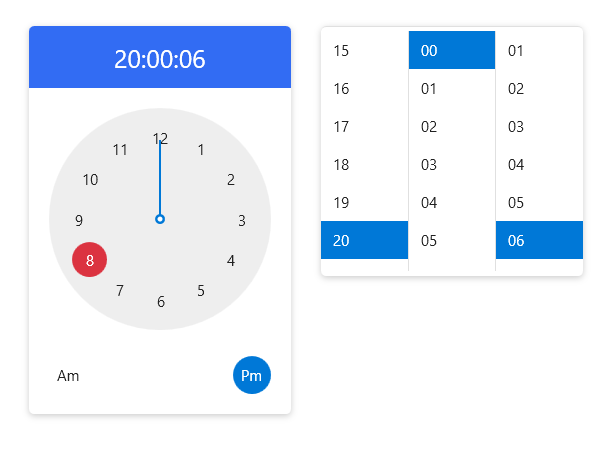
Choose time
You can select the time by clicking the clock on the left, or by clicking the hour, minute, and second list on the right. You can also set the date like this in a XAML clock or code.
<hc:Clock SelectedTime="{x:Static system:DateTime.Now}"/>clock.SelectedTime = DateTime.Now;Attributes
| Property | Description |
|---|---|
| SelectedTime | Gets or sets the currently selected time. |
| DisplayTime | Gets or sets the current display time. |
| TimeFormat | Get or set the format used to display the selected time |
| ClockRadioButtonStyle | Get or set the style of RadioButton in Clock control |
| ShowConfirmButton |
Event
| Event | Description |
|---|---|
| DisplayTimeChanged | Occurs when the displayed time changes. |
ListClock
<hc:ListClock/>