
Play, pause, speed up, slow down, or scrub your animation with the CompositionAnimationController API
Methods
| Name |
|---|
| PlayPause |
| Stop |
| SpeedUp |
| SlowDown |
| Reverse |
Example
xml
<StackPanel Orientation="Horizontal"
            Spacing="10">
    <Button x:Name="PlayButton"
            Click="PlayPause_Animation">
        <SymbolIcon x:Name="PlayIcon"
                    Symbol="Play" />
    </Button>
    <Button x:Name="StopButton"
            Click="Stop_Animation">
        <SymbolIcon Symbol="Stop" />
    </Button>
    <Button x:Name="SpeedUp"
            Click="SpeedUp_Animation"
            Content="2.0x" />
    <Button x:Name="SlowDown"
            Click="SlowDown_Animation"
            Content="0.5x" />
    <Button x:Name="Reverse"
            Click="Reverse_Animation">
        <SymbolIcon Symbol="Back" />
    </Button>
</StackPanel>

<Slider x:Name="slider"
        Maximum="100"
        Minimum="0"
        TickFrequency="25"
        TickPlacement="BottomRight" />
</StackPanel>
<Canvas Height="300">
    <Rectangle x:Name="Rectangle"
                Canvas.Left="20"
                Canvas.Top="20"
                Width="50"
                Height="50"
                Fill="Blue" />
</Canvas>
cs
private CompositionAnimationController controller;
private Vector3KeyFrameAnimation _animation;
public CompositionAnimationControllerPage()
{
    InitializeComponent();
    AnimationSetup();
}
private void AnimationSetup()
{
    var compositor = ElementCompositionPreview.GetElementVisual(this).Compositor;
    var visual = ElementCompositionPreview.GetElementVisual(Rectangle);

    int animationDuration = 4;
    float animationMax = 250f;
    var linear = compositor.CreateLinearEasingFunction();

    _animation = compositor.CreateVector3KeyFrameAnimation();
    _animation.InsertKeyFrame(0.25f, new Vector3(animationMax, (float)Canvas.GetTop(Rectangle), 0f), linear);
    _animation.InsertKeyFrame(0.5f, new Vector3(animationMax, animationMax, 0f), linear);
    _animation.InsertKeyFrame(0.75f, new Vector3((float)Canvas.GetLeft(Rectangle), animationMax, 0f), linear);
    _animation.InsertKeyFrame(1f, new Vector3((float)Canvas.GetLeft(Rectangle), (float)Canvas.GetTop(Rectangle), 0f), linear);
    _animation.Duration = TimeSpan.FromSeconds(animationDuration);
    _animation.IterationBehavior = AnimationIterationBehavior.Forever;

    // Plug it into the controller
    controller = new CompositionAnimationController(visual, nameof(Visual.Offset), _animation);
    controller.AttachSlider(slider);
    controller.PlayIcon = PlayIcon;
}

private void PlayPause_Animation(object sender, RoutedEventArgs e)
{
    controller.PlayPause();
}
private void Stop_Animation(object sender, RoutedEventArgs e)
{
    controller.Stop();

}
private void SpeedUp_Animation(object sender, RoutedEventArgs e)
{
    controller.SpeedUp();

}
private void SlowDown_Animation(object sender, RoutedEventArgs e)
{
    controller.SlowDown();

}
private void Reverse_Animation(object sender, RoutedEventArgs e)
{
    controller.Reverse();
}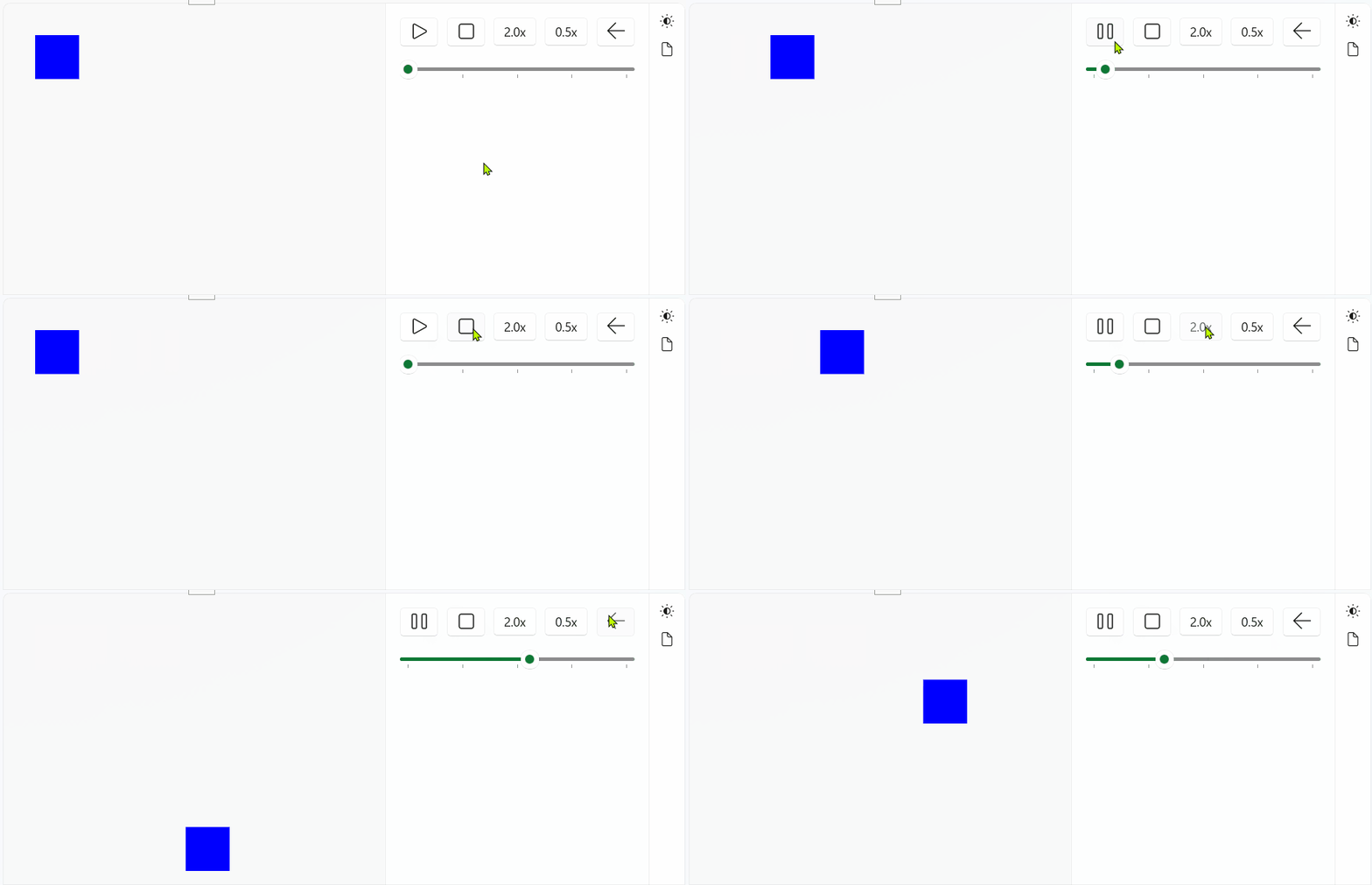
Demo
you can run demo and see this feature.