
Property
| Name |
|---|
| OverlayBrush |
| BackgroundImage |
| BackgroundImageOpacity |
| Title |
| Subtitle |
| Description |
| Profile |
| Footer |
Example
xml
<GridView ItemsSource="{x:Bind ViewModel.SampleImageAndTextData, Mode=OneWay}">
<GridView.Header>
    <dev:ShyHeader Title="Lorem Ipsum"
                    BackgroundImage="ms-appx:///Assets/Others/Abstract.jpg"
                    Description="Lorem ipsum dolor sit amet..."
                    Subtitle="dolor sit amet">
        <dev:ShyHeader.Profile>
            <PersonPicture Width="150"
                            Height="150"
                            ProfilePicture="ms-appx:///Assets/Others/Profile.png" />
        </dev:ShyHeader.Profile>
        <dev:ShyHeader.Footer>
            <StackPanel Orientation="Horizontal">
                <Button Content="Footer Button" />
                <Button Content="Footer Button" />
                <Button Content="Footer Button" />
            </StackPanel>
        </dev:ShyHeader.Footer>
    </dev:ShyHeader>
</GridView.Header>
<GridView.ItemTemplate>
    <DataTemplate x:DataType="model:SampleData">
        <Image Width="200"
                Height="200"
                Margin="4"
                HorizontalAlignment="Center"
                VerticalAlignment="Center"
                Source="{x:Bind ImageUrl}"
                Stretch="UniformToFill" />
    </DataTemplate>
</GridView.ItemTemplate>
</GridView>
WARNING
If you place a GridView inside a ScrollViewer, the ShyHeader might not function correctly. In such cases, make sure to explicitly set a Height for the ShyHeader.
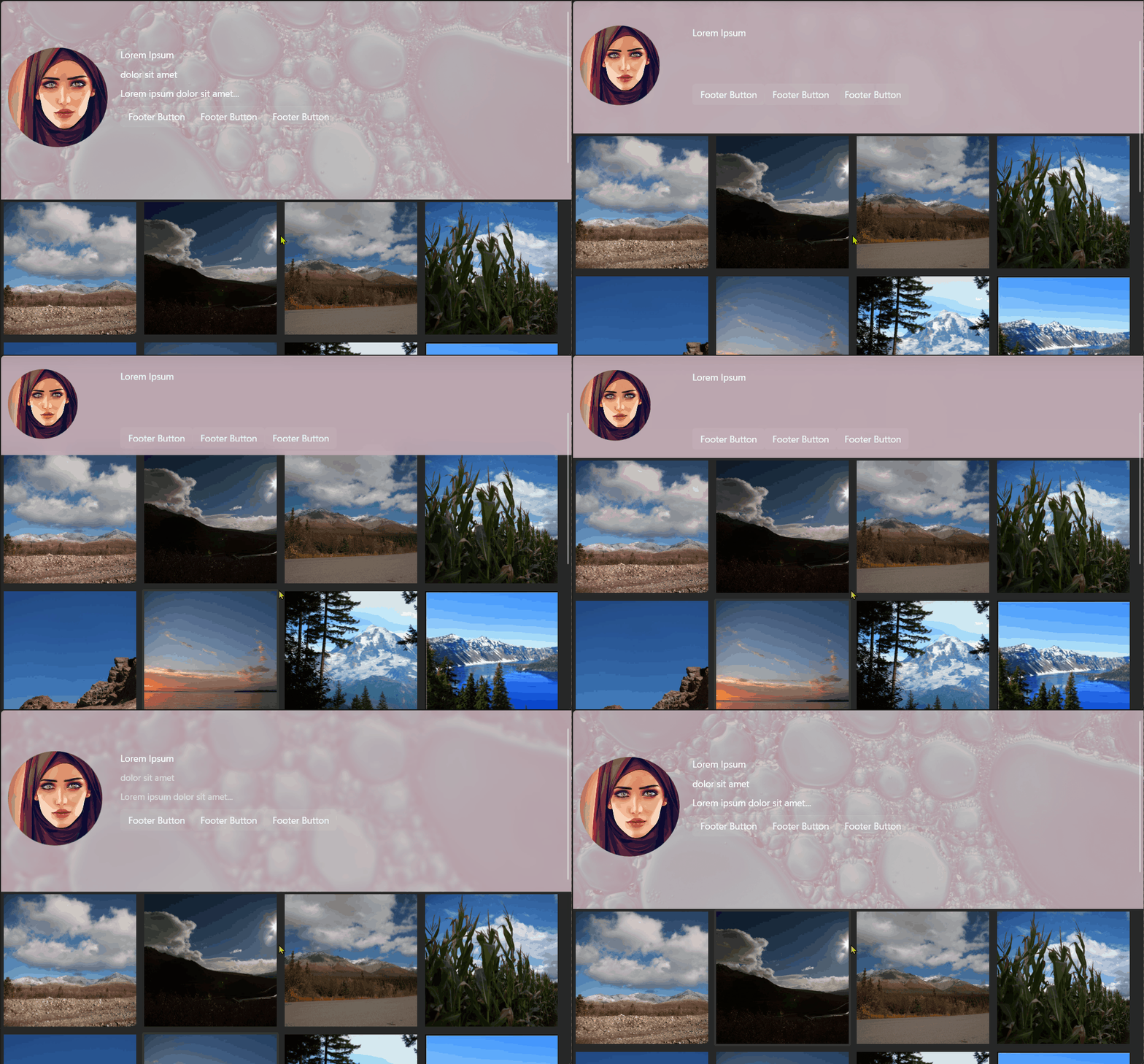
Demo
you can run demo and see this feature.