
Property
| Name |
|---|
| Content |
| Effect |
| MaskSource |
| ApplyEffectDuration |
| RemoveEffectDuration |
| ShowAnimationDuration |
| HideAnimationDuration |
Method
| Name |
|---|
| RemoveEffect |
| ApplyEffect |
Example
xml
<dev:ForegroundFocusEffects x:Name="ForegroundFocusEffectsSample"
                            Effect="Blur">
    <ListView IsItemClickEnabled="True"
                ItemClick="OnItemClick"
                ItemsSource="{x:Bind ViewModel.SampleImageAndTextData, Mode=OneWay}">
        <ListView.ItemsPanel>
            <ItemsPanelTemplate>
                <ItemsWrapGrid Orientation="Horizontal" />
            </ItemsPanelTemplate>
        </ListView.ItemsPanel>
        <ListView.ItemTemplate>
            <DataTemplate x:DataType="model:SampleData">
                <Grid>
                    <Image Width="140"
                            Height="140"
                            Source="{x:Bind ImageUrl}"
                            Stretch="UniformToFill" />
                </Grid>
            </DataTemplate>
        </ListView.ItemTemplate>
    </ListView>
</dev:ForegroundFocusEffects>
cs
private async void OnItemClick(object sender, ItemClickEventArgs e)
{
    var item = (SampleData)e.ClickedItem;

    ForegroundFocusEffectsSample.ApplyEffect();

    ContentDialog contentDialog = new ContentDialog
    {
        XamlRoot = this.XamlRoot,
        Title = item.Name,
        Content = item.Description,
        PrimaryButtonText = "OK",
        CloseButtonText = "Cancel",
        DefaultButton = ContentDialogButton.Primary
    };
    contentDialog.PrimaryButtonClick += ContentDialog_PrimaryButtonClick;
    contentDialog.CloseButtonClick += ContentDialog_PrimaryButtonClick;
    await contentDialog.ShowAsyncQueue();
}

private void ContentDialog_PrimaryButtonClick(ContentDialog sender, ContentDialogButtonClickEventArgs args)
{
    ForegroundFocusEffectsSample.RemoveEffect();
}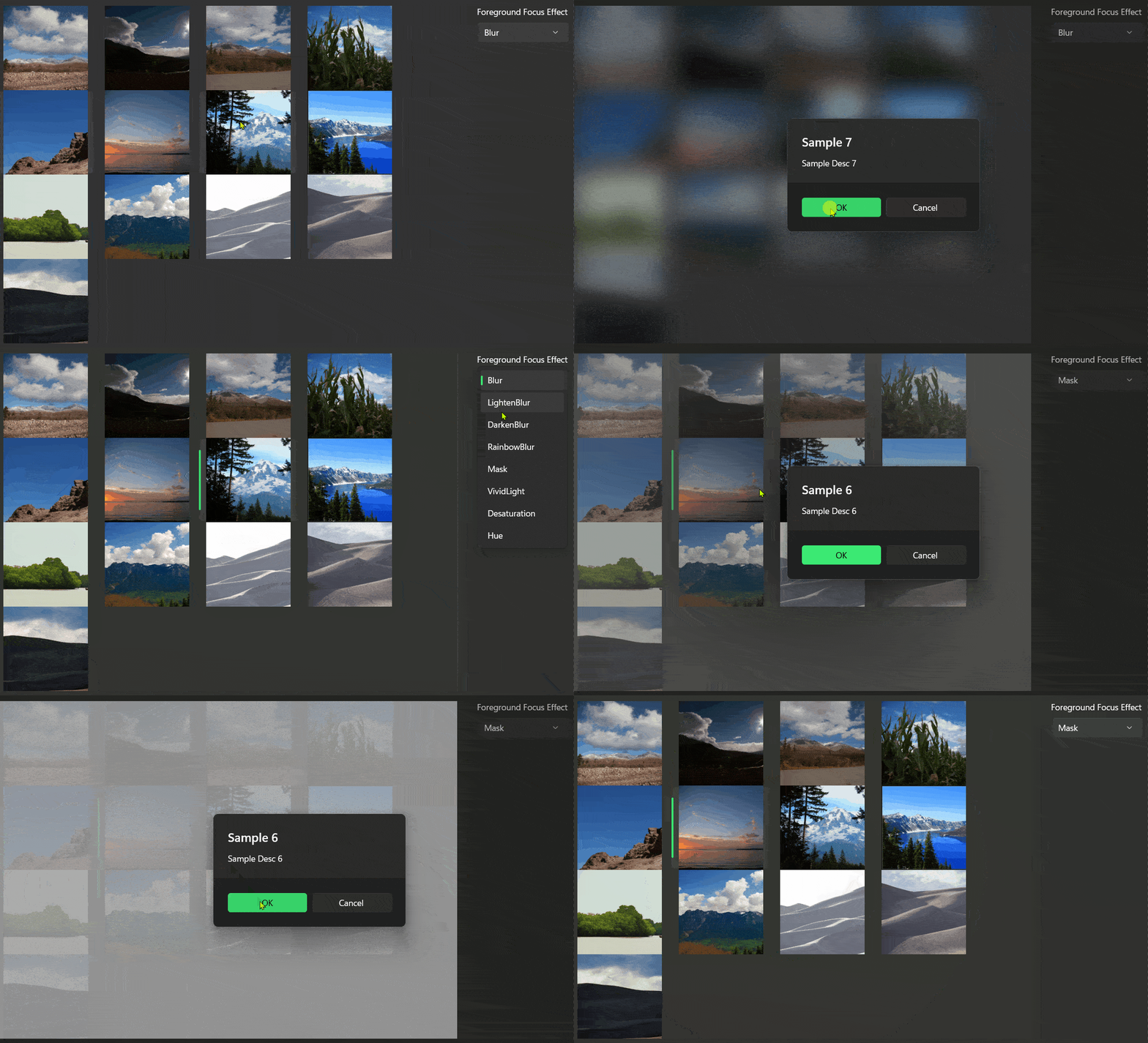
Demo
you can run demo and see this feature.