
Enable Acrylic Background for some controls.
Property
| Name |
|---|
| UseAcrylicBackground |
Supported Elements
| Name |
|---|
| AutoSuggestBox |
| ComboBox |
| Flyout |
| CommandBar |
| MediaTransportControls |
| ToolTip |
xml
<FlipView dev:FlipViewAttach.IsLooping="true"/>WARNING
If you want Acrylic to be applied to a CommandBar, don't forget to override the CommandBarFlyoutCommandBar style as well; otherwise, the SecondaryCommands section won't inherit the Acrylic background.
<Style TargetType="CommandBarFlyoutCommandBar">
    <Setter Property="Template" Value="{StaticResource CommandBarFlyoutCommandBarWithSystemBackdropStyle}" />
</Style>
TimePicker / DatePicker
you need to overwrite Presenter Style
xml
<Style BasedOn="{StaticResource TimePickerFlyoutPresenterWithSystemBackdropElementStyle}" TargetType="TimePickerFlyoutPresenter" />
<Style BasedOn="{StaticResource DatePickerFlyoutPresenterWithSystemBackdropElementStyle}" TargetType="DatePickerFlyoutPresenter" />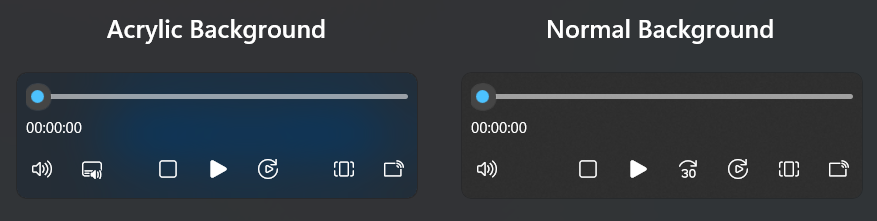
Demo
you can run demo and see this feature.