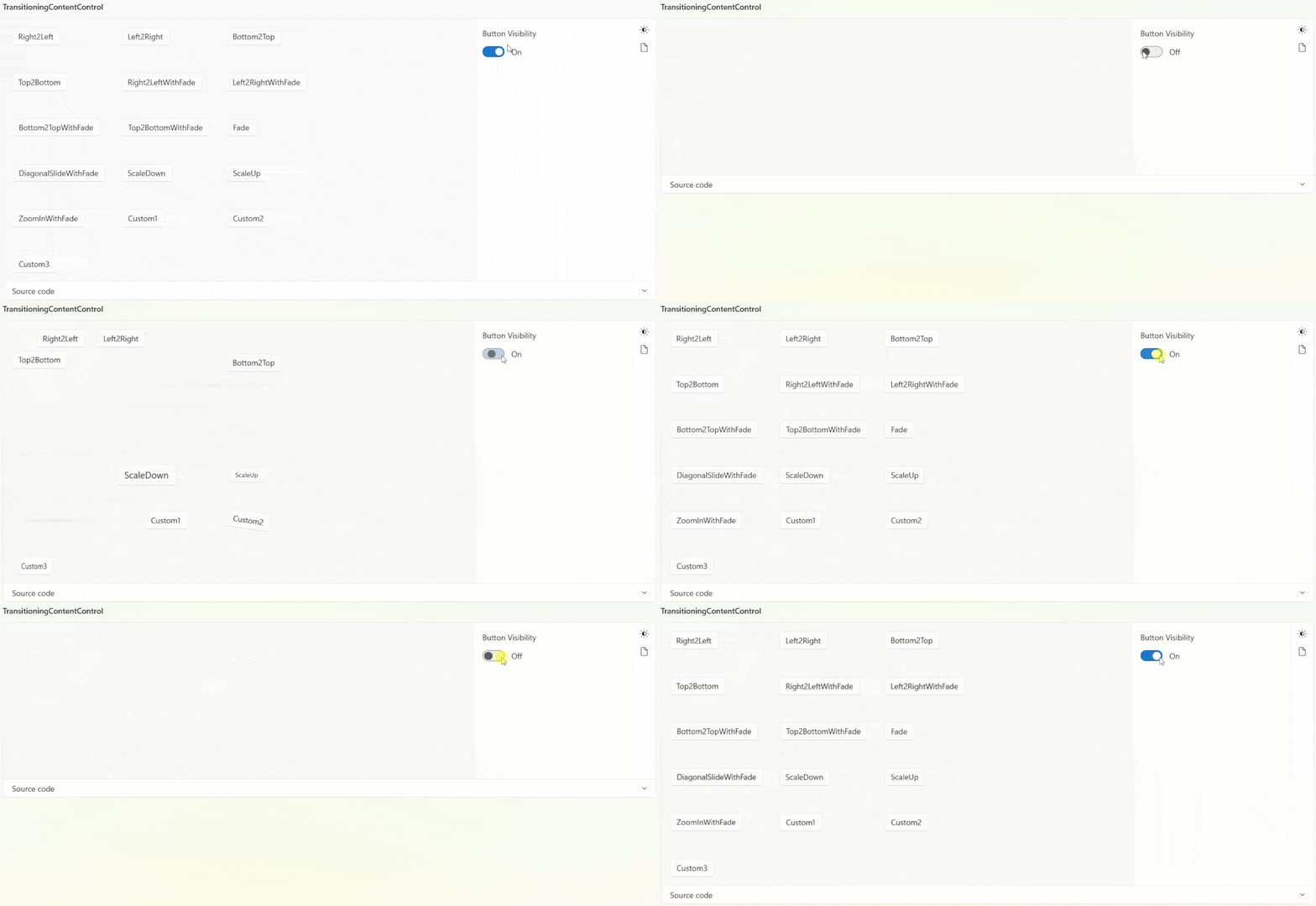
Mainly used for the transitional rendering effect of changing content.
cs
public partial class TransitioningContentControl : ContentControlAttributes
| Property | Description | Default Value | Remarks |
|---|---|---|---|
| TransitionMode | Transition Mode | TransitionMode.Right2Left | |
| TransitionStoryboard | Transition Animation |
Case
xml
<Storyboard x:Key="Custom1Transition" x:Shared="False">
    <DoubleAnimation From="50" To="0" Duration="0:0:0.4" Storyboard.TargetProperty="(UIElement.RenderTransform).(TransformGroup.Children)[3].(TranslateTransform.X)">
        <DoubleAnimation.EasingFunction>
            <ElasticEase Oscillations="1"/>
        </DoubleAnimation.EasingFunction>
    </DoubleAnimation>
</Storyboard>

<Storyboard x:Key="Custom2Transition" x:Shared="False">
    <DoubleAnimation From="10" To="0" Duration="0:0:0.4" Storyboard.TargetProperty="(UIElement.RenderTransform).(TransformGroup.Children)[2].(RotateTransform.Angle)">
        <DoubleAnimation.EasingFunction>
            <ElasticEase Oscillations="1"/>
        </DoubleAnimation.EasingFunction>
    </DoubleAnimation>
</Storyboard>

<Storyboard x:Key="Custom3Transition" x:Shared="False">
    <DoubleAnimation From=".8" To="1" Duration="0:0:0.4" Storyboard.TargetProperty="(UIElement.RenderTransform).(TransformGroup.Children)[0].(ScaleTransform.ScaleX)">
        <DoubleAnimation.EasingFunction>
            <ElasticEase Oscillations="1"/>
        </DoubleAnimation.EasingFunction>
    </DoubleAnimation>
</Storyboard>
xml
<dev:TransitioningContentControl TransitionMode="Right2Left">
    <Button Content="Right2Left" />
</dev:TransitioningContentControl>

<dev:TransitioningContentControl TransitionStoryboard="{StaticResource Custom1Transition}">
    <Button Content="Custom1" />
</dev:TransitioningContentControl>
Demo
you can run demo and see this feature.