
Method
| Name |
|---|
| StartTransition |
| ApplyClipping |
Example
xml
<ColorPicker x:Name="ColorPickerSample"
                    IsAlphaSliderVisible="False"
                    IsAlphaTextInputVisible="False"
                    IsColorChannelTextInputVisible="False"
                    IsColorPreviewVisible="False"
                    IsColorSliderVisible="False"
                    IsHexInputVisible="False"
                    IsMoreButtonVisible="False"
                    Color="Orange" />
<Grid Height="200"
        SizeChanged="OnSizeChanged">
    <Button x:Name="BtnStart"
                    Click="OnClick"
                    Content="Start" />
    <dev:ColorBloomControl x:Name="ColorBloomSample"
                            Color="{x:Bind ColorPickerSample.Color, Mode=OneWay}" />
</Grid>
cs
private void OnClick(object sender, RoutedEventArgs e)
{
    var button = (Button)sender;
    ColorBloomSample.StartTransition(button, this.RenderSize);
}

private void OnSizeChanged(object sender, SizeChangedEventArgs e)
{
    ColorBloomSample.ApplyClipping(e.NewSize);
}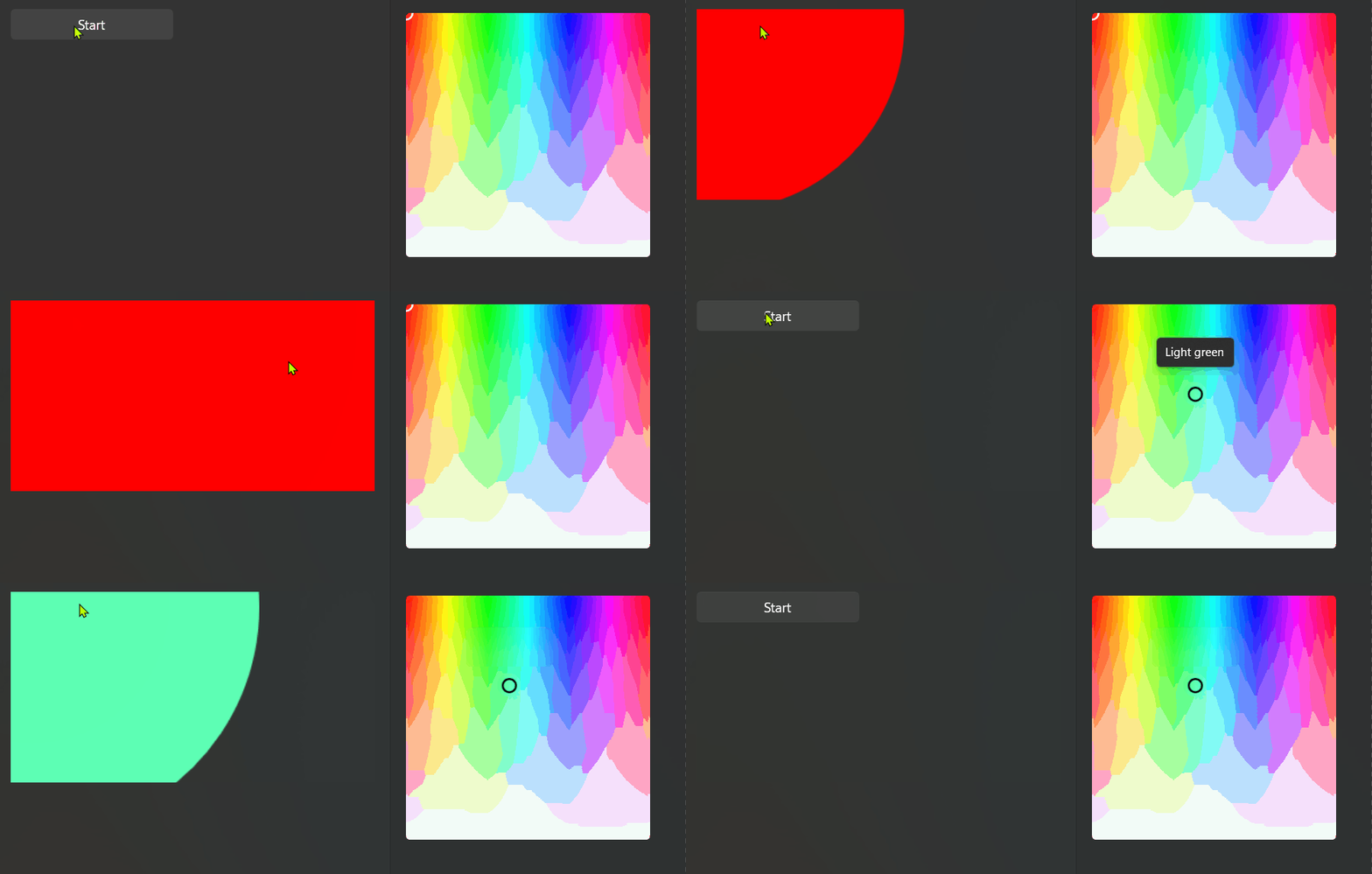
Demo
you can run demo and see this feature.