
Event
| Name |
|---|
| SelectedTimeChanged |
Property
| Name |
|---|
| IsGroupLabelVisible |
| IsTodayHighlighted |
| DisplayMode |
| FirstDayOfWeek |
| DayOfWeekFormat |
| CalendarIdentifier |
| IsOutOfScopeEnabled |
| MaxDate |
| MinDate |
| CalendarViewMargin |
| TimePickerMargin |
| CalendarViewStyle |
| CalendarViewBorderThickness |
| SelectedTime |
| SelectedDateTime |
| TimePickerDisplayMode |
| ShowAccentBorderOnHeader |
| ClockMode |
| ClockCornerRadius |
| CalendarViewCornerRadius |
| ClockBorderThickness |
| ClockMargin |
| DateTimeFormat |
| MinuteIncrement |
NOTE
You can use Default WinUI Styles (DefaultCalendarViewStyle) or your own syles for CalendarView, just use CalendarViewStyle property.
Example
xml
<dev:CalendarWithClock />NOTE
Use ClockMode for choosing between TimePicker or AnalogClock
WARNING
Some Properties only works for TimePicker and Some for AnalogClock.
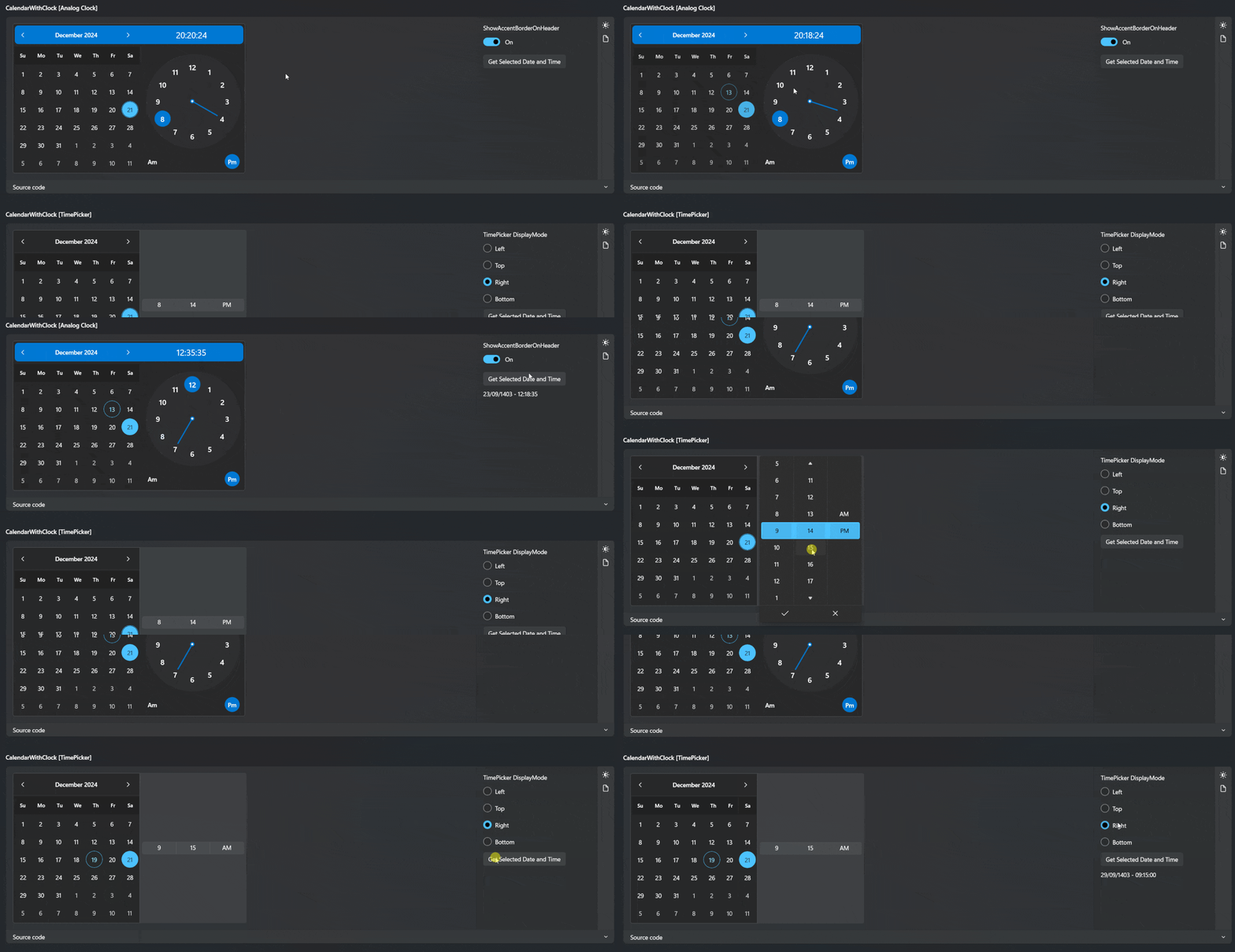
Demo
you can run demo and see this feature.