
It renders the shared .bin country dataset and supports pan/zoom, tooltips, single or multiple selection, country colors, and value-based coloring.
Quick start
<Page
    xmlns="http://schemas.microsoft.com/winfx/2006/xaml/presentation"
    xmlns:x="http://schemas.microsoft.com/winfx/2006/xaml"
    xmlns:dev="using:DevWinUI">
    <dev:WorldMap x:Name="Map"
                       SelectionMode="Multiple"
                       ShowToolTip="True"
                       ShowZoomControls="True" />
</Page>
The control provides its default style and zoom buttons. Use MapLoaded or check IsMapLoaded before calling APIs that require loaded country data.
Data source
DataSource is a Uri dependency property. Its default is null; in that case, WorldMapData.LoadAsync loads the embedded Assets/WorldMap/WorldMap.bin dataset. The WorldMap and ParticleGlobe controls share this loader and binary format.
Set a custom data source before the control's first load (for example in XAML):
<dev:WorldMap DataSource="ms-appx:///Assets/WorldMap/CustomWorldMap.bin" />Changing DataSource after loading does not reload the existing dataset. Each WorldMapCountry exposes its country Code, Name, source MainBounds, and current Bounds.
Dependency properties
All properties below are bindable dependency properties except ToolTipFormatter, which is a regular CLR property. Defaults refer to the registered dependency-property metadata.
| Property | Default | Usage |
|---|---|---|
DataSource | null | Optional .bin source. null selects the embedded default; set before first load. |
SelectionMode | Single | None, Single, or Multiple; governs pointer and SelectCountry selection. |
SelectedCountryCode | null | Gets/sets the current or most recently selected country code. In multiple mode, use SelectedCodes for the whole selection. |
IsPanEnabled | true | Enables pointer-drag panning. |
IsZoomEnabled | true | Enables wheel/pointer zoom. |
MinZoom | 1.0 | Minimum zoom relative to the fitted map size. |
MaxZoom | 40.0 | Maximum zoom relative to the fitted map size. |
ShowToolTip | true | Shows the hovered-country tooltip. |
ShowZoomControls | true | Shows the built-in zoom/reset controls in the template. |
ClearSelectionOnEmptyClick | true | Clears selection when the user clicks outside a country. |
ToolTipFormatter | null | Optional Func<WorldMapCountry, string> for custom text; by default the country name is shown. |
CountryFill | null | Optional brush override for normal countries. null uses the control's calculated color. |
CountryHoverFill | null | Optional brush override while hovering. |
CountrySelectedFill | null | Optional brush override for selected countries. |
CountryStroke | null | Optional country-outline brush. |
CountryStrokeThickness | 0.75 | Outline thickness. |
CountryColor | Default | Preset color for normal countries. |
CustomCountryColor | #FF64748B | ARGB color used when CountryColor is Custom. |
SelectedColor | Default | Preset color for selected countries. |
CustomSelectedColor | #FF0078D2 | ARGB color used when SelectedColor is Custom. |
HighlightColor | Default | Preset color for hovered/highlighted countries. |
CustomHighlightColor | #FF0078D2 | ARGB color used when HighlightColor is Custom. |
BorderColor | Default | Preset color for country borders. |
CustomBorderColor | #FF94A3B8 | ARGB color used when BorderColor is Custom. |
CountryBorderStyle | Solid | Border rendering: Solid, Dashed, Dotted, or None. |
WorldMapHighlightColor values are Default, Red, Orange, Yellow, Green, Cyan, Blue, Purple, Pink, White, and Custom. When a preset is Default, the brush property supplies its color or the control uses its built-in theme fallback. A non-Default preset overrides that state's brush color; for Custom, set the matching Custom*Color property.
Read-only state
| Member | Meaning |
|---|---|
Countries | Loaded countries as an IReadOnlyList<WorldMapCountry>. |
SelectedCodes | All selected country codes; use this instead of SelectedCountryCode for multiple selection. |
HoveredCountry | Country currently under the pointer, or null. |
IsMapLoaded | Whether dataset and country geometry have been prepared. |
ZoomLevel | Current scale relative to the fitted map. |
Methods
| Method | Behavior |
|---|---|
TryGetCountry(string code, out WorldMapCountry? country) | Looks up a country by code; returns whether it was found. |
SelectCountry(string code) | Selects a loaded country subject to SelectionMode. No-op if selection is disabled or code is unknown. |
DeselectCountry(string code) | Removes a code from the current selection. |
ClearSelection() | Clears all selected countries. |
SetCountryColor(string code, Color color) | Assigns a color to one country. |
SetCountryColors(IEnumerable<KeyValuePair<string, Color>> colors) | Assigns colors to multiple country codes. |
SetCountryValues(IReadOnlyDictionary<string, double> values, Color low, Color high) | Normalizes values across the supplied dictionary and interpolates a color from low to high. |
ClearCountryColors() | Removes custom country colors and value colors. |
ZoomIn() / ZoomOut() | Changes zoom around the view center. |
ZoomBy(float factor, Vector2 screenPoint, bool animate = true) | Zooms around a screen-space point. |
ZoomToCountry(string code, bool animate = true) | Frames a country; returns false if map data is not loaded or the code is unknown. |
ResetView(bool animate = true) | Returns to the fitted map view. |
View methods that depend on map geometry should be called after MapLoaded or when IsMapLoaded is true. ZoomBy has no effect before the map is loaded.
Events
| Event | Event data | When it is raised |
|---|---|---|
MapLoaded | EventArgs | Country geometries are ready for display. |
CountryClicked | WorldMapCountryEventArgs.Country | A country is clicked; Country may be null for empty map space. |
HoveredCountryChanged | WorldMapCountryEventArgs.Country | Pointer hover changes; Country is null when no country is hovered. |
SelectionChanged | WorldMapSelectionChangedEventArgs.Added, .Removed | Selected country codes change. |
ViewChanged | EventArgs | The view's scale or offset changes, including during animation. |
Examples
Selection and navigation
Map.CountryClicked += (_, e) =>
{
    if (e.Country is { } country)
        System.Diagnostics.Debug.WriteLine($"{country.Name} ({country.Code})");
};

Map.SelectionChanged += (_, e) =>
    System.Diagnostics.Debug.WriteLine($"Added: {string.Join(", ", e.Added)}");

Map.SelectCountry("DE");
if (Map.TryGetCountry("DE", out var germany))
    Map.ZoomToCountry(germany.Code);
Value colors and tooltip text
using System.Collections.Generic;
using Windows.UI;

Map.SetCountryValues(new Dictionary<string, double>
{
    ["DE"] = 83,
    ["IR"] = 88,
    ["US"] = 331,
}, Color.FromArgb(255, 220, 235, 255), Color.FromArgb(255, 0, 70, 160));

Map.ToolTipFormatter = country => $"{country.Name} ({country.Code})";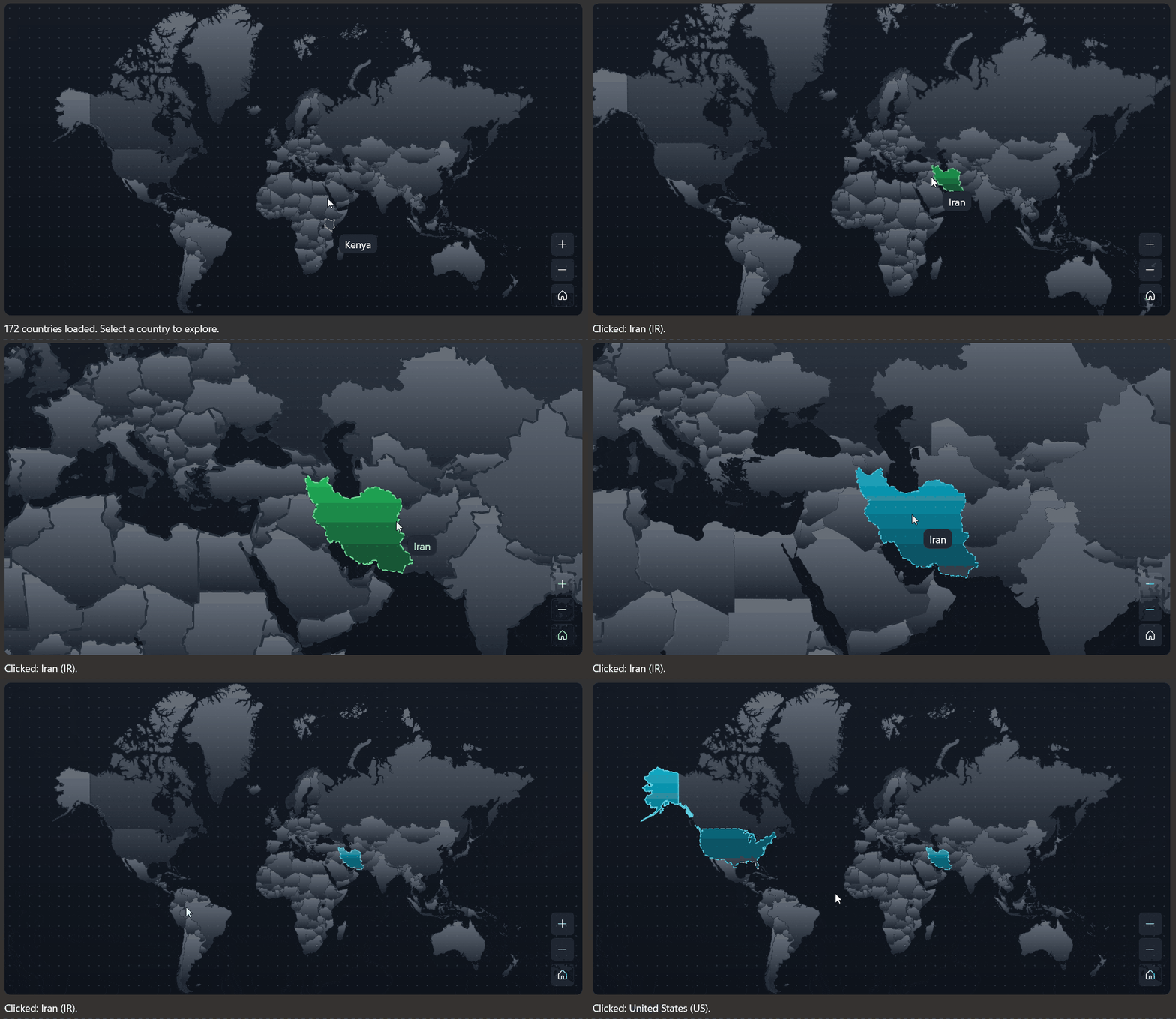
Demo
you can run demo and see this feature.