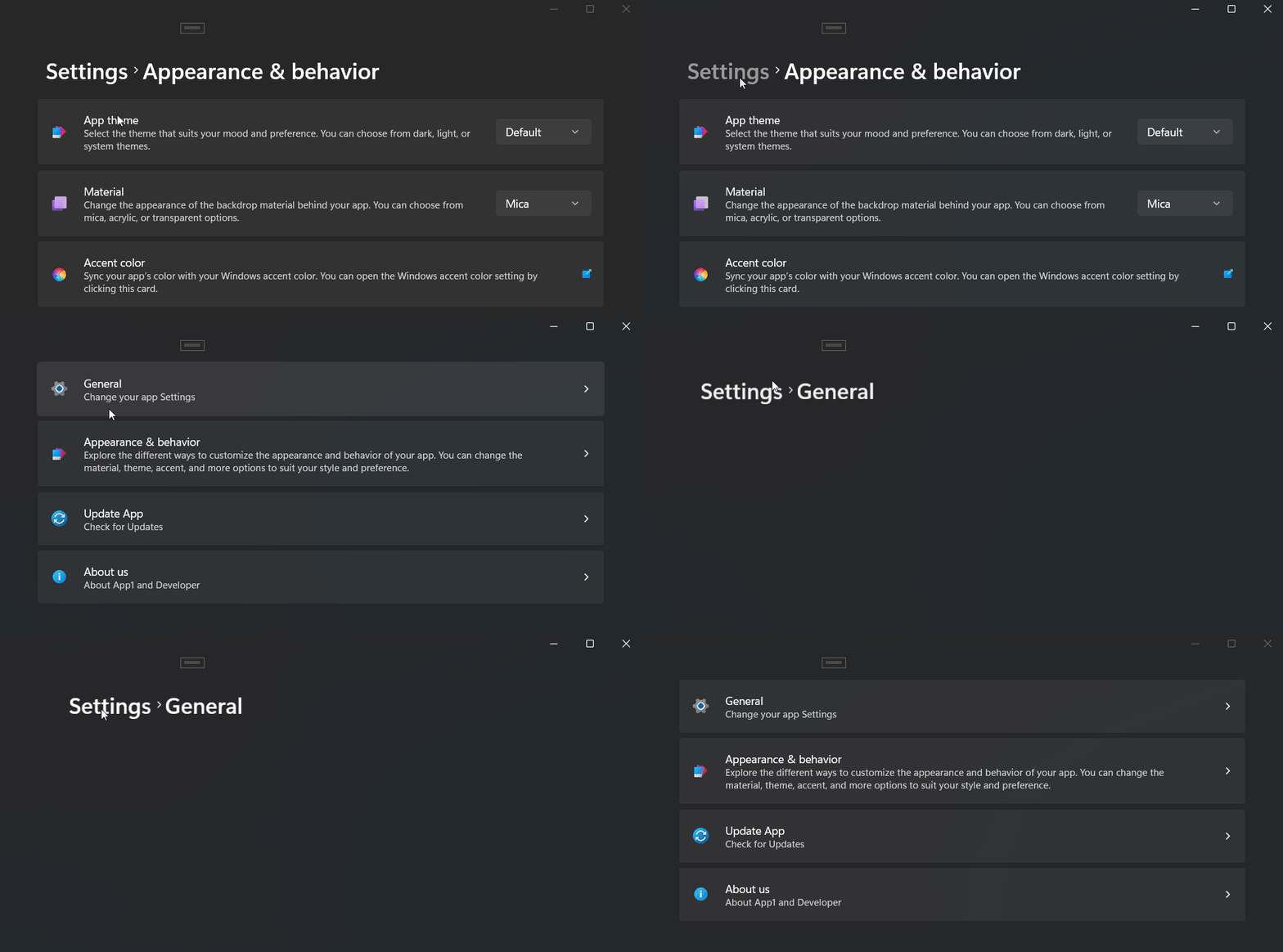
Attributes
| Name |
|---|
| AllowDuplication |
| NavigationTransitionInfo |
| IsClickable |
| HeaderVisibilityOptions |
| BreadCrumbs |
Event
| Name |
|---|
| ItemClicked |
Method
| Name |
|---|
| NavigateFromBreadcrumb |
| Initialize |
| AddNewItem |
| ChangeBreadcrumbVisibility |
Attached Property
| Name | Remark |
|---|---|
| IsHeaderVisible | |
| PageTitle | |
| ClearNavigation | Does not work in JsonNavigationService Mode |
Using with JsonNavigationService
NOTE
if you are using JsonNavigationService, we can find Page Title from json file, however if you find some issue with this you can use our PageTitle AttachedProperty.
The easiest way to use, put BreadcrumbNavigator in your main page for example in NavigationView Header:
<dev:BreadcrumbNavigator x:Name="BreadCrumbNav"/>then use ConfigBreadcrumbBar in JsonNavigationService
jsonNavigationService.ConfigBreadcrumbBar(BreadCrumbNav, NavigationPageMappings.PageDictionary);everything will done automatically.
for more info see here
Using with NavigationServiceEx
The easiest way to use, put BreadcrumbNavigator in your main page for example in NavigationView Header:
<dev:BreadcrumbNavigator x:Name="BreadCrumbNav"/>then use ConfigBreadcrumbBar in NavigationServiceEx
navigationServiceEx.ConfigBreadcrumbBar(BreadCrumbNav, NavigationPageMappings.PageDictionary);everything will done automatically.
for more info see here
Normal Usage
In this method, you have to add the items yourself
<dev:BreadcrumbNavigator x:Name="BasicBreadCrumbNavigator"/>now you should call Initialize method:
public static Dictionary<Type, BreadcrumbPageConfig> pageDictionary = new()
{
    {typeof(DevWinUIGallery.Views.SettingsPage), new BreadcrumbPageConfig { PageTitle = null, IsHeaderVisible = true, ClearNavigation = false}},
    {typeof(DevWinUIGallery.Views.AboutUsSettingPage), new BreadcrumbPageConfig { PageTitle = null, IsHeaderVisible = true, ClearNavigation = false}},
    {typeof(DevWinUIGallery.Views.AppUpdateSettingPage), new BreadcrumbPageConfig { PageTitle = null, IsHeaderVisible = true, ClearNavigation = false}},
    {typeof(DevWinUIGallery.Views.GeneralSettingPage), new BreadcrumbPageConfig { PageTitle = null, IsHeaderVisible = true, ClearNavigation = false}},
    {typeof(DevWinUIGallery.Views.ThemeSettingPage), new BreadcrumbPageConfig { PageTitle = null, IsHeaderVisible = true, ClearNavigation = false}},
};
BasicBreadCrumbNavigator.Initialize(frame, navigationView, pageDictionary);
NOTE
for more info and finding a Source Generator for generating PageDictionary see here
NOTE
if you want to exclude a page to be shown in BreadcrumbNavigator, you can use our IsHeaderVisibile AttachedProperty.
then in your pages you should use attached property for Item Title and visibility
<Page
dev:BreadcrumbNavigator.PageTitle="Test"
dev:BreadcrumbNavigator.IsHeaderVisible="True"

>
when you are navigating to another page, you should add a new item to BreadcrumbNavigator:
BasicBreadcrumbNavigator.AddNewItem(targetPage);Demo
you can run demo and see this feature.