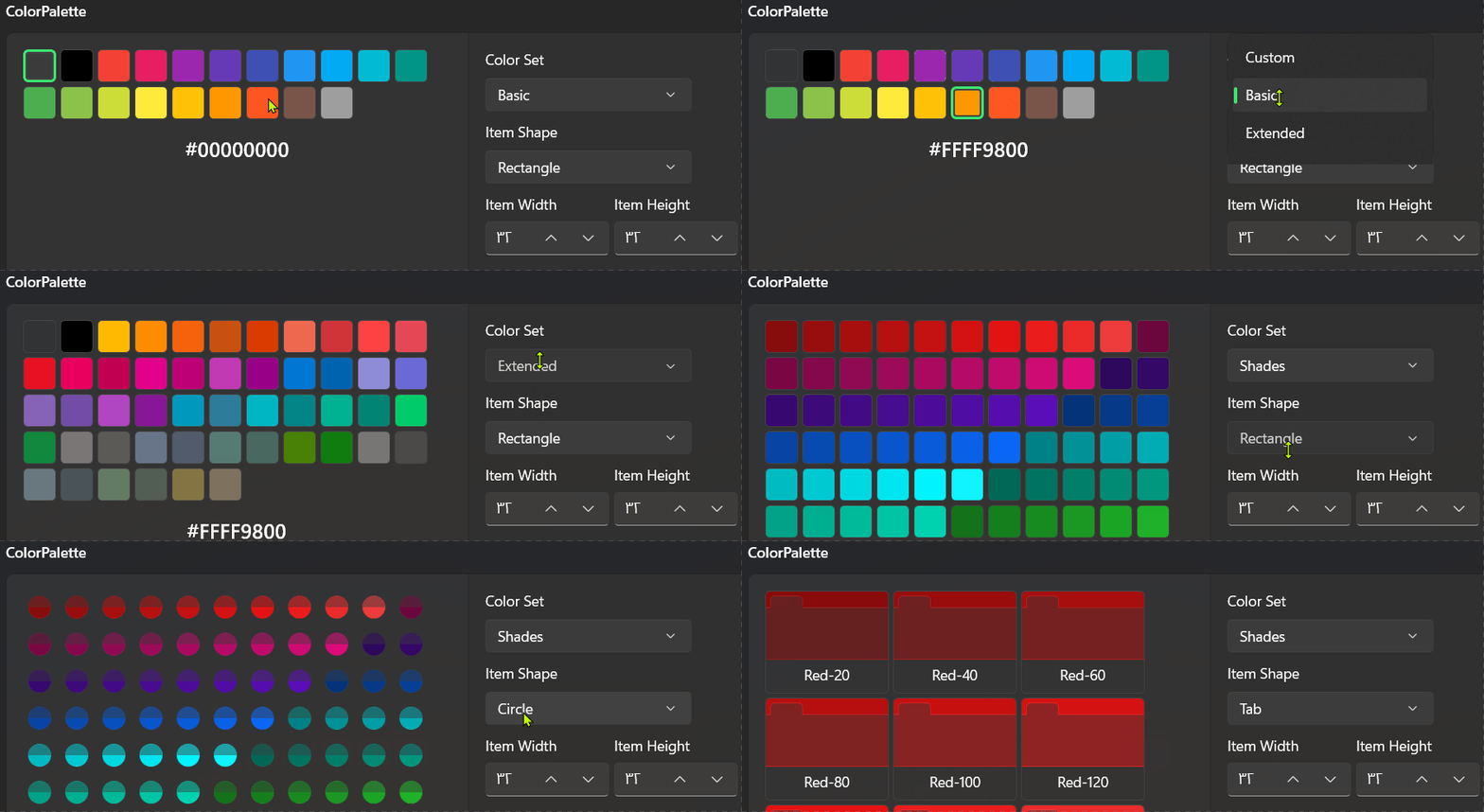
ColorPalette is based on GridView. so you can use SelectedItem, SelectedIndex and other proeprties.
cs
public partial class ColorPalette : GridViewcs
public partial class ColorPaletteItem : ControlColorPaletteItem
Attributes
| Property |
|---|
| ShowHexCode |
| ShowColorName |
| ShowToolTip |
| ItemShape |
| ColorName |
| Color |
ColorPalette
Attributes
| Property |
|---|
| SelectedColor |
| ItemWidth |
| ItemHeight |
| Colors |
| IsCopyColorCodeOnClickEnabled |
| ShowHexCode |
| ShowColorName |
| ShowToolTip |
| ColorSet |
| ItemShape |
| ItemsPanel |
Events
| Name |
|---|
| ColorChanged |
Example
xml
<dev:ColorPalette />Custom ColorSet
If you want to use your own color set, you can do it in two ways: by adding items in XAML or by adding colors in C# code.
Xaml Direct
xml
<dev:ColorPalette ColorSet="Custom">
    <dev:ColorPalette.Colors>
        <dev:ColorPaletteItem Color="Red" ColorName="Red"/>
        <dev:ColorPaletteItem Color="Green" ColorName="Green"/>
        <dev:ColorPaletteItem Color="Orange" ColorName="Orange"/>
        <dev:ColorPaletteItem Color="Blue" ColorName="Blue"/>
    </dev:ColorPalette.Colors>
</dev:ColorPalette>
C# Way
xml
<dev:ColorPalette x:Name="ColorPaletteSample" ColorSet="Custom" />cs
ColorPaletteSample.Colors = new ObservableCollection<ColorPaletteItem2>
{
    new ColorPaletteItem2{ Color = Colors.Red, ColorName = "Red" },
    new ColorPaletteItem2{ Color = Colors.Yellow, ColorName = "Yellow" },
    new ColorPaletteItem2{ Color = Colors.Orange, ColorName = "Orange" },
};
WARNING
You must set ColorSet to Custom, and then add your ColorPaletteItem instances to the Colors collection — not ItemsSource or Items.
Customize ItemShape
The ColorPalette control accepts ColorPaletteItem elements. So, if you want to customize the item shape, you can override the ColorPaletteItem style and set its ItemShape property to Custom. This ensures that the control won't overwrite your custom ControlTemplate.
ItemsPanel
currently we are using a WrapPanel, but if you want, you can customize ItemsPanel:
xml
<dev:ColorPalette.ItemsPanel>
    <ItemsPanelTemplate>
        <dev:UniformGrid Columns="10"/>
    </ItemsPanelTemplate>
</dev:ColorPalette.ItemsPanel>
Demo
you can run demo and see this feature.