
Property
| Name |
|---|
| Items |
| Kind |
| Indicator |
| ScrollOffset |
| Root |
| ActiveIds |
| TrackScroll |
| IsAnimationEnabled |
| Label |
| LinkStyle |
| LinkFontSize |
| LinkForeground |
| ActiveLinkForeground |
| AccentBrush |
| TrackBrush |
| TargetResolver |
Attached Property
| Name |
|---|
| HeadingId |
Methods
| Name |
|---|
| Refresh |
| GetHeadingId |
| SetHeadingId |
Events
| Name |
|---|
| ActiveChanged |
| ItemInvoked |
Enums
TableOfContentsKind
| Name |
|---|
| Curve |
| Straight |
Example
xml
<Grid ColumnDefinitions="*,240">
    <ScrollViewer x:Name="PageScroller">
        <StackPanel Spacing="24">
            <TextBlock dev:TableOfContents.HeadingId="intro" Text="Introduction" />
            <TextBlock dev:TableOfContents.HeadingId="usage" Text="Usage" />
            <TextBlock dev:TableOfContents.HeadingId="advanced" Text="Advanced" />
        </StackPanel>
    </ScrollViewer>

    <dev:TableOfContents x:Name="Toc"
                         Grid.Column="1"
                         Kind="Curve"
                         ScrollOffset="16" />
</Grid>
csharp
Toc.Root = PageScroller;
Toc.Items = new List<TableOfContentsItem>
{
    new("intro", "Introduction"),
    new("usage", "Usage"),
    new("advanced", "Advanced", 3),
};

Toc.ActiveChanged += (s, ids) => { };
Toc.ItemInvoked += (s, id) => { };
NOTE
TableOfContentsItem is a record: TableOfContentsItem(string Id, string Label, int Depth = 2). Depth supports two levels: 2 (default) and 3 (nested). Any value of 3 or more is treated as 3.
NOTE
Targets are found by walking the content of Root and matching HeadingId. Use TargetResolver to provide targets yourself, and call Refresh after the content of Root changes.
WARNING
Items is an IReadOnlyList<TableOfContentsItem> and cannot be filled with XAML elements. Set it in code or bind it. Root must be set to the ScrollViewer that scrolls the headings.
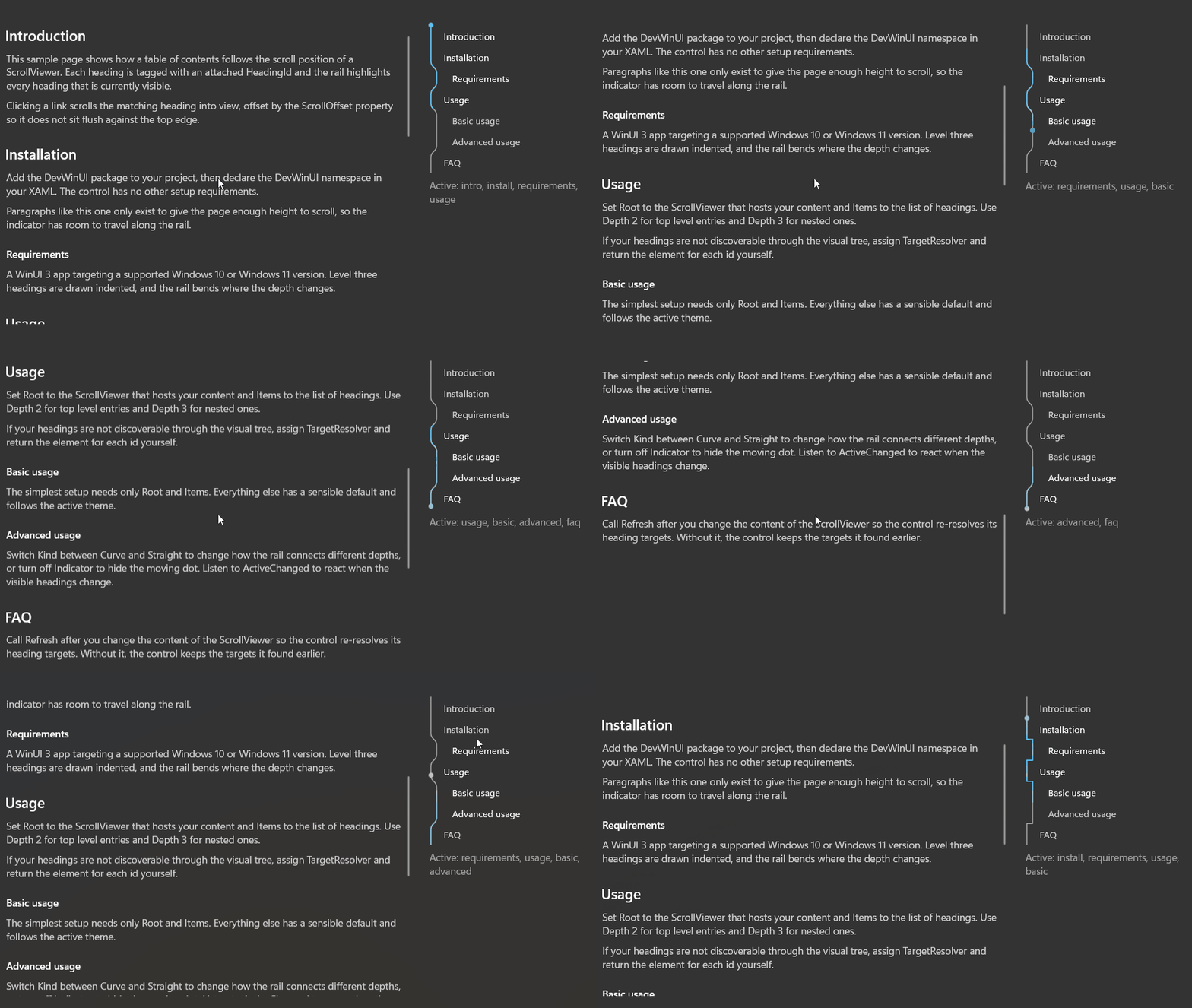
Demo
you can run demo and see this feature.