
Draw any Static/Dynamic Graph you want!
Property
| Name |
|---|
| BackgroundMode |
| BackgroundShapeDistance |
| HighlightLineBehavior |
| HighlightLineVisibility |
| HighlightLineContent |
| DotSpacing |
| CrossSpacing |
| BackgroundColor |
| ClearColor |
| HorizontalScrollDistance |
| HorizontalScrollDuration |
Methods
| Name |
|---|
| GetCustomBrush |
| GetGreenBrush |
| GetBlueBrush |
| GetRedBrush |
| GetPurpleBrush |
| AddDynamicPoint |
| AddStaticPoints |
| RegisterGraphBrush |
| UpdateGraphBrush |
| ResetDynamicGraph |
| GetCanvasAnimatedControl |
Events
| Name |
|---|
| HighlightLineUpdated |
| Draw |
| CreateResources |
Example
xml
<dev:LiveGraph x:Name="LiveGraphSample" Draw="OnDraw" CreateResources="OnCreateResources" />first in OnCreateResources, register your brush with RegisterGraphBrush and get a Key to Draw your Graph.
cs
private (CanvasLinearGradientBrush Brush, CanvasLinearGradientBrush OpacityBrush, CanvasSolidColorBrush BorderBrush) brush;

private string liveGraphKey;

private void OnCreateResources(object sender, Microsoft.Graphics.Canvas.UI.Xaml.CanvasAnimatedControl e)
{
    brush = LiveGraphSample.GetGreenBrush(e);

    LiveGraphSample.SizeChanged -= OnCanvasResize;
    LiveGraphSample.SizeChanged += OnCanvasResize;

    Unloaded -= LiveGraphPage_Unloaded;
    Unloaded += LiveGraphPage_Unloaded;

    void OnCanvasResize(object s, SizeChangedEventArgs e)
    {
        brush.Brush.StartPoint = new Vector2(0, (float)e.NewSize.Height);
        brush.Brush.EndPoint = new Vector2(0, 0);

        brush.OpacityBrush.StartPoint = new Vector2(0, (float)e.NewSize.Height);
        brush.OpacityBrush.EndPoint = new Vector2(0, 0);
    }


    void LiveGraphPage_Unloaded(object sender, RoutedEventArgs e)
    {
        brush.Brush?.Dispose();
        brush.OpacityBrush?.Dispose();
        brush.BorderBrush?.Dispose();
    }

    liveGraphKey = LiveGraphSample.RegisterGraphBrush(null);
    UpdateBrush();
}
private void UpdateBrush()
{
    var data = new GraphBrushData
    {
        Brush = brush.Brush,
        OpacityBrush = brush.OpacityBrush,
        BorderBrush = brush.BorderBrush,
        StrokeWidth = 2f,
    };

    LiveGraphSample.UpdateGraphBrush(liveGraphKey, data);
}
then use your Key in AddDynamicPoint to Draw Graph inside OnDraw event:
cs
private Random random = new Random();
private void OnDraw(object sender, LiveGraphEventArgs e)
{
    float cpuValue = (float)random.NextDouble() * 100f; // CPU usage 0-100%
    LiveGraphSample.AddDynamicPoint(liveGraphKey, new GraphPoint { Value = cpuValue, Space = 6f });
}
WARNING
you should normalize your value to be a 0-100%
now if you want to change your brush, you can define new brush and call UpdateBrush
cs
brush = LiveGraphSample.GetPurpleBrush(LiveGraphSample.GetCanvasAnimatedControl());
UpdateBrush();
WARNING
you dont need to use OnDraw event for Static Graph, you can call AddStaticGraph inside Button Click event or anywhere else.
Highlight Line
if you need a line follow points, you need to define your line:
xml
 <dev:LiveGraph>
     <dev:LiveGraph.HighlightLineContent>
         <Grid>
             <Line Opacity="0.4" Stroke="{ThemeResource SystemControlForegroundBaseHighBrush}" X1="0" X2="10000" />
             <TextBlock Margin="0,-20,10,0" HorizontalAlignment="Right" Opacity="0.8" Text="Some Text" />
         </Grid>
     </dev:LiveGraph.HighlightLineContent>
 </dev:LiveGraph>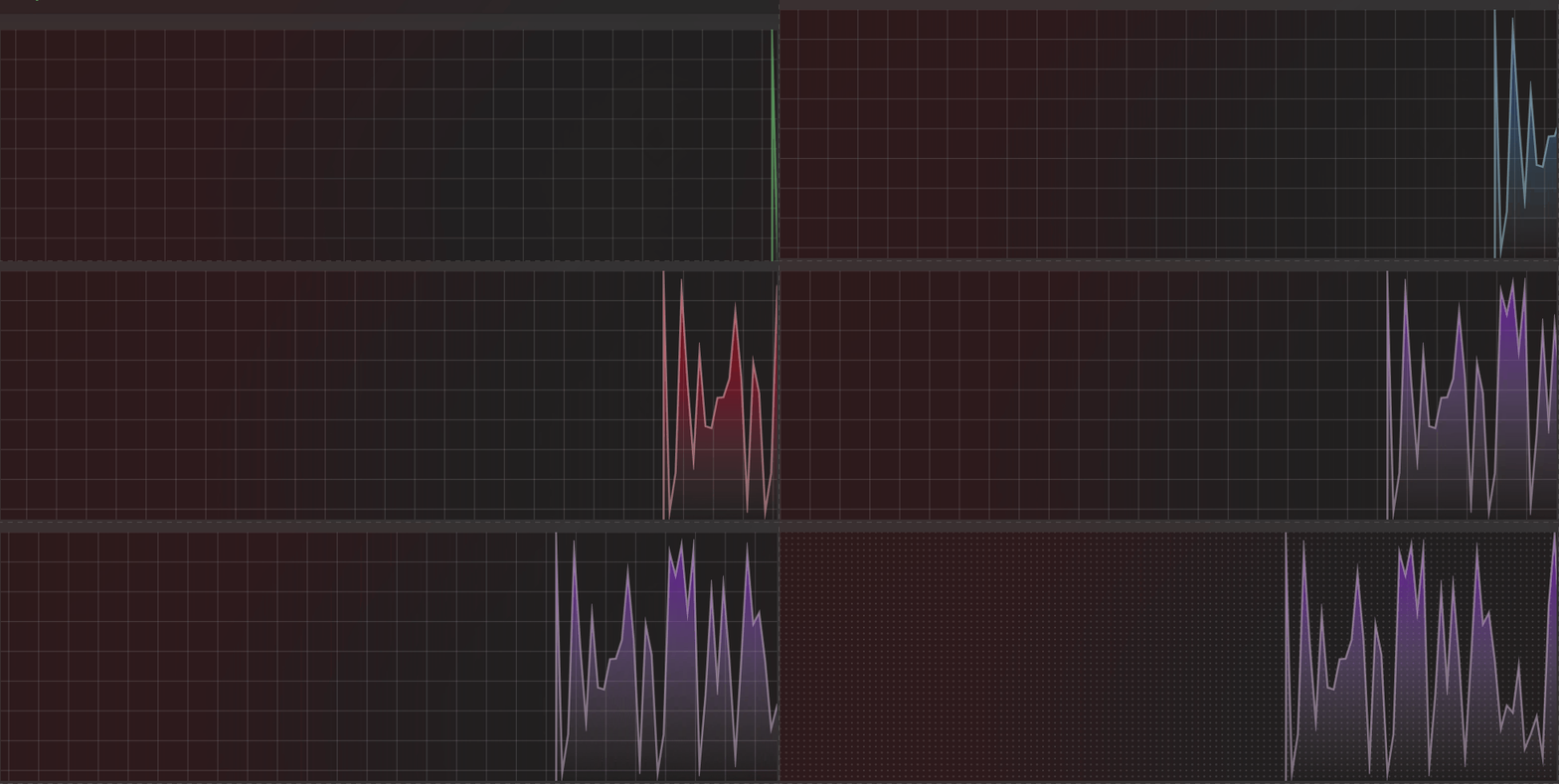
Demo
you can run demo and see this feature.