Attributes
| Name | Use |
|---|---|
| Placement | Prompt Element Display Position |
| Visibility | Visibility |
| StringFormat | StringFormat |
Use Cases
Placement Prompt element display position
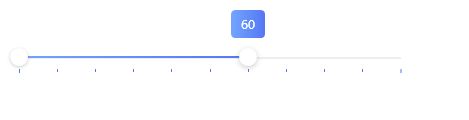
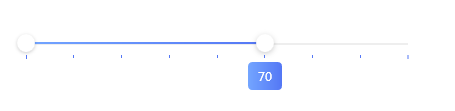
This attribute is used to set the display position of the prompt element. Currently supports BottomRight and TopLeft (default)
xml
<hc:RangeSlider Width="400"
                    hc:TipElement.Visibility="Visible"
                    TickPlacement="BottomRight"
                    IsSnapToTickEnabled="True"
                    Maximum="100" ValueEnd="60"
                    TickFrequency="10"
                    Margin="0,32,0,0"/>
<hc:RangeSlider Width="400"
                    hc:TipElement.Visibility="Visible"
                    hc:TipElement.Placement="BottomRight"
                    TickPlacement="BottomRight"
                    IsSnapToTickEnabled="True"
                    Maximum="100" ValueEnd="60"
                    TickFrequency="10"
                    Margin="0,32,0,0"/>

<hc:RangeSlider Width="400"
                    hc:TipElement.Visibility="Visible"
                    hc:TipElement.Placement="Bottom"
                    hc:TipElement.StringFormat="#0.00"
                    ValueEnd="5"
                    TickPlacement="Both"
                    Margin="0,32,0,0"/>
effect