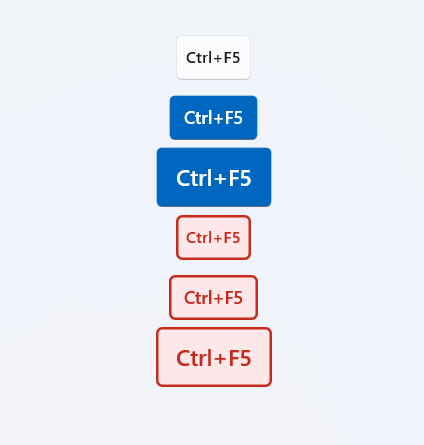
1
| public sealed class KeyVisual2 : Control
|
Attributes
| Name |
| KeyVisualState |
| Content |
| RenderKeyAsGlyph |
| Style |
Example
1
2
3
4
5
6
7
| <dev:KeyVisual2 Content="Ctrl+F5" />
<dev:KeyVisual2 Content="Ctrl+F5" KeyVisualState="Error" />
<dev:KeyVisual2 Content="Ctrl+F5" KeyVisualState="Warning"/>
<dev:KeyVisual2 Content="Win"/>
<dev:KeyVisual2 Content="Copilot"/>
|
Content is an object, you can pass string or int, some of string or int has built-in icons.
String
| Name |
| Up |
| Down |
| Left |
| Right |
| Copilot |
| Office |
| Win |
| Windows |
| RightWindows |
| LeftWindows |
Int
| Name |
Remark |
| 13 |
Enter |
| 8 |
Back |
| 16, 160, 161 |
Shift |
| 38 |
Up |
| 40 |
Down |
| 37 |
Left |
| 39 |
Right |
| 91, 92 |
LeftWindows, RightWindows |
Demo
you can run demo and see this feature.