Ghost1372

everything can be handy

QRCode

QR code generation library with SVG, PNG, and console renderers. Implements the QR code specification from scratch with support for standard QR, Micro QR, and Rectangular Micro QR (rMQR) codes.

Supported QR Code Types

Type Method Sizes Description
Standard QR QRCode.Create(...) 21x21 to 177x177 ISO/IEC 18004, versions 1-40
Micro QR QRCode.CreateMicroQR(...) 11x11 to 17x17 ISO/IEC 18004, versions M1-M4
rMQR QRCode.CreateRMQR(...) Rectangular (width > height) ISO/IEC 23941

Payloads

Name
Wifi
VCard
MeCard
Email
Phone
Sms
Geolocation
CalendarEvent
OneTimePassword
Bitcoin
SepaPayment

Methods

Name
Create
CreateMicroQR
CreateRMQR

Usage

Generate QR codes (Standard, Micro QR, rMQR)

1
2
3
4
5
6
7
8
9
10
11
12
13
// Standard QR code
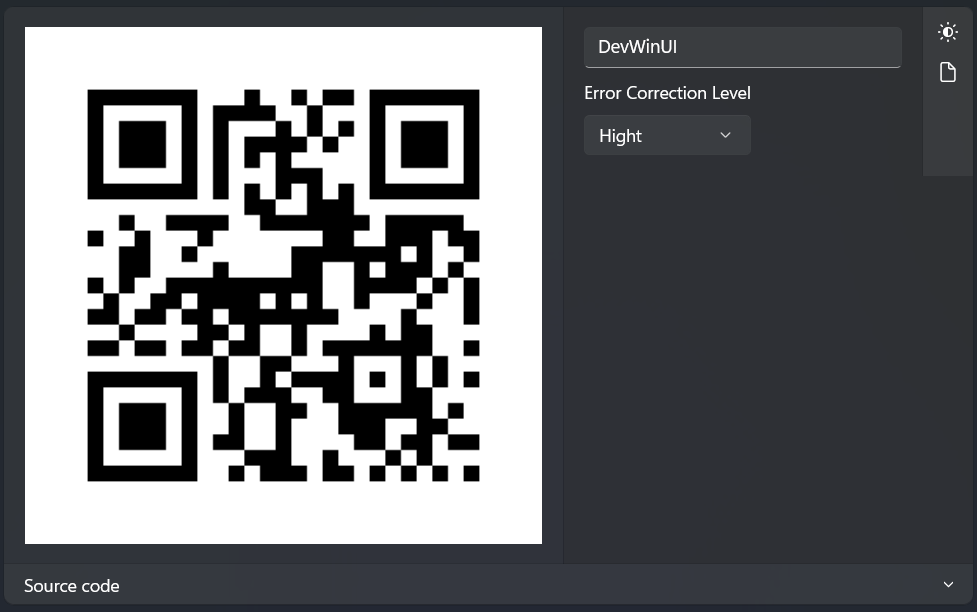
var standardQr = QRCode.Create("DevWinUI", ErrorCorrectionLevel.High);

// Micro QR code (smaller, single finder pattern)
var microQr = QRCode.CreateMicroQR("12345", ErrorCorrectionLevel.Low);

// Rectangular Micro QR code (narrow rectangular shape)
var rmqr = QRCode.CreateRMQR("https://www.Github.com", ErrorCorrectionLevel.Medium);

// Format info
Console.WriteLine($"{standardQr.Type} {standardQr.Width}x{standardQr.Height}");
Console.WriteLine($"{microQr.Type} {microQr.Width}x{microQr.Height}");
Console.WriteLine($"{rmqr.Type} {rmqr.Width}x{rmqr.Height}");

Render as SVG

1
2
3
4
5
6
7
8
9
10
11
var svg = standardQr.ToSvg();
var microSvg = microQr.ToSvg(new QRCodeSvgOptions { ModuleSize = 2, QuietZoneModules = 2 });
var rmqrSvg = rmqr.ToSvg(new QRCodeSvgOptions { ModuleSize = 2, QuietZoneModules = 2 });

var customSvg = standardQr.ToSvg(new QRCodeSvgOptions
{
ModuleSize = 10,
QuietZoneModules = 4,
DarkColor = "#000000",
LightColor = "#ffffff",
});

Logo images are currently supported in the SVG renderer only.

Render as PNG

1
2
3
4
5
6
7
8
9
var png = standardQr.ToPng();
File.WriteAllBytes("qrcode.png", png);

using var stream = File.Create("micro-qrcode.png");
microQr.WriteToPng(stream, new QRCodePngOptions
{
ModuleSize = 4,
QuietZoneModules = 2,
});

Render to console

1
2
3
4
5
6
7
8
9
10
11
12
13
14
15
standardQr.WriteToConsole();
var standardText = standardQr.ToConsoleString();
var microText = microQr.ToConsoleString(new QRCodeConsoleOptions
{
QuietZoneModules = 1,
ModuleWidth = 2,
ModuleHeight = 2, // 2x bigger output that can look more square on many terminals
});

var rmqrText = rmqr.ToConsoleString(new QRCodeConsoleOptions
{
QuietZoneModules = 1,
ModuleWidth = 2,
ModuleHeight = 2,
});

Content helpers

1
2
3
4
5
6
7
8
9
10
11
12
13
14
15
16
17
18
19
20
21
22
23
24
25
26
27
28
29
30
31
32
33
34
35
36
37
// WiFi
var wifi = QRCodePayload.Wifi("MyNetwork", "password123", WifiAuthentication.WPA);

// vCard
var vcard = QRCodePayload.VCard("Doe", "John", phone: "+1234567890", email: "john@example.com");

// MeCard (compact contact format)
var mecard = QRCodePayload.MeCard("Doe", "John", phone: "+1234567890");

// Email
var email = QRCodePayload.Email("test@example.com", subject: "Hello");

// Phone
var phone = QRCodePayload.Phone("+1234567890");

// SMS
var sms = QRCodePayload.Sms("+1234567890", "Hello!");

// Geolocation
var geo = QRCodePayload.Geolocation(48.8566, 2.3522);

// Calendar event
var evt = QRCodePayload.CalendarEvent("Meeting",
new DateTime(2025, 6, 15, 14, 0, 0, DateTimeKind.Utc),
new DateTime(2025, 6, 15, 15, 0, 0, DateTimeKind.Utc),
location: "Room 42");

// OTP Auth (2FA setup)
var otp = QRCodePayload.OneTimePassword(OneTimePasswordType.Totp,
"JBSWY3DPEHPK3PXP", "user@example.com", issuer: "MyApp");

// Bitcoin payment
var btc = QRCodePayload.Bitcoin("1A1zP1eP5QGefi2DMPTfTL5SLmv7DivfNa", amount: 0.05m);

// SEPA payment (EPC QR)
var sepa = QRCodePayload.SepaPayment("Example", "DE00000000000000000000", 12.50m,
remittanceText: "Donation");

QRCode

Demo

you can run demo and see this feature.

0%