Enable Acrylic Background for some controls.
Property
| Name |
|---|
| UseAcrylicBackground |
Supported Elements
| Name |
|---|
| AutoSuggestBox |
| ComboBox |
| Flyout |
| CommandBar |
| MediaTransportControls |
| ToolTip |
1 | <FlipView dev:FlipViewAttach.IsLooping="true"/> |
If you want Acrylic to be applied to a CommandBar, don’t forget to override the CommandBarFlyoutCommandBar style as well; otherwise, the SecondaryCommands section won’t inherit the Acrylic background.
1 | <Style TargetType="CommandBarFlyoutCommandBar"> |
TimePicker / DatePicker
you need to overwrite Presenter Style
1 | <Style BasedOn="{StaticResource TimePickerFlyoutPresenterWithSystemBackdropElementStyle}" TargetType="TimePickerFlyoutPresenter" /> |
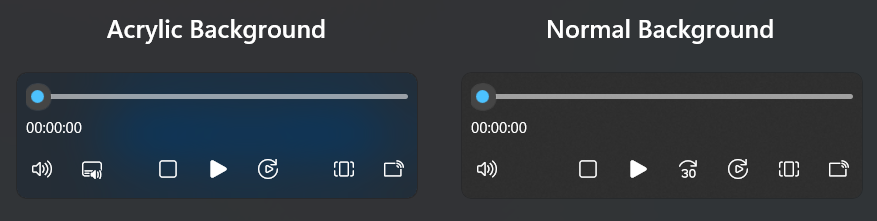
Demo
you can run demo and see this feature.