Property
| Name |
| DisplayMode |
| InnerContent |
| SidebarContent |
| Footer |
| IsPaneOpen |
| OpenPaneLength |
| NegativeOpenPaneLength |
| SelectedItem |
| MenuItemsSource |
Events
| Name |
| ItemInvoked |
| ItemContextInvoked |
| ItemDragOver |
| ItemDropped |
Property
| Name |
| Children |
| IconSource |
| ItemDecorator |
| IsExpanded |
| Text |
| ToolTip |
| PaddedItem |
Example
1
| <dev:SidebarView MenuItemsSource="{x:Bind SidebarViewItems, Mode=OneWay}" />
|
1
2
3
4
5
6
7
8
9
10
11
12
13
14
15
16
17
18
19
20
21
22
23
24
25
26
27
28
29
30
31
32
33
34
35
36
37
38
39
40
41
42
43
44
45
46
47
48
49
50
51
52
| public partial ObservableCollection<FolderItem> SidebarViewItems { get; set; } = new ObservableCollection<FolderItem>()
{
new FolderItem()
{
FolderText = "Home",
Path = "C:\\Fonts",
Icon = new ImageIconSource()
{
ImageSource = new BitmapImage(new Uri("ms-appx:///Assets/Fluent/Home.png"))
}
},
new FolderItem()
{
FolderText = "Folder",
Path = "C:\\Folder",
IsExpanded = true,
Icon = new ImageIconSource()
{
ImageSource = new BitmapImage(new Uri("ms-appx:///Assets/Fluent/Folder.png"))
},
Children = new ObservableCollection<FolderItem>()
{
new FolderItem()
{
FolderText = "SubFolder1",
Path = "C:\\Folder\\SubFolder1",
Icon = new ImageIconSource()
{
ImageSource = new BitmapImage(new Uri("ms-appx:///Assets/Fluent/Folder.png"))
}
},
new FolderItem()
{
FolderText = "SubFolder2",
Path = "C:\\Folder\\SubFolder2",
Icon = new ImageIconSource()
{
ImageSource = new BitmapImage(new Uri("ms-appx:///Assets/Fluent/Folder.png"))
}
}
}
},
new FolderItem()
{
FolderText = "Drive",
Path = "D:\\Drive",
Icon = new ImageIconSource()
{
ImageSource = new BitmapImage(new Uri("ms-appx:///Assets/Fluent/CloudDrive.png"))
}
},
};
|
if you are using MVVM and ObservableObject you can use:
1
2
3
4
5
6
7
8
9
10
11
12
13
14
15
16
17
18
19
20
21
22
23
24
25
26
27
28
29
| public sealed partial class FolderItem : ObservableObject, ISidebarItemModel
{
[ObservableProperty]
public partial string FolderText { get; set; } = "";
[ObservableProperty]
public partial string Path { get; set; } = "";
[ObservableProperty]
public partial ImageIconSource Icon { get; set; } = new ImageIconSource();
public object? Children { get; set; } = null;
public IconSource? IconSource => Icon;
public bool IsExpanded { get; set; } = false;
public object ToolTip => Path;
public bool PaddedItem => false;
public string Text => FolderText;
partial void OnIconChanged(ImageIconSource value)
{
OnPropertyChanged(nameof(IconSource));
}
}
|
or if you prefer regular INotifyPropertyChanged you can use:
1
2
3
4
5
6
7
8
9
10
11
12
13
14
15
16
17
18
19
20
21
22
23
24
25
26
27
28
29
30
31
32
33
34
35
36
37
38
39
40
41
42
43
44
45
46
47
48
49
50
| public sealed partial class FolderItem : ISidebarItemModel, INotifyPropertyChanged
{
private string text = "";
public string Text
{
get => text;
set => SetProperty(ref text, value, nameof(Text));
}
private string path = "";
public string Path
{
get => path;
set => SetProperty(ref path, value, nameof(Path));
}
private ImageIconSource icon = new ImageIconSource();
public ImageIconSource Icon
{
get => icon;
set
{
SetProperty(ref icon, value, nameof(Icon));
OnPropertyChanged(nameof(IconSource));
}
}
public object? Children { get; set; } = null;
public IconSource? IconSource => Icon;
public bool IsExpanded { get; set; } = false;
public object ToolTip => Path;
public bool PaddedItem => false;
public event PropertyChangedEventHandler? PropertyChanged;
private void OnPropertyChanged(string propertyName)
=> PropertyChanged?.Invoke(this, new PropertyChangedEventArgs(propertyName));
private bool SetProperty<T>(ref T storage, T value, string propertyName)
{
if (Equals(storage, value)) return false;
storage = value;
OnPropertyChanged(propertyName);
return true;
}
}
|
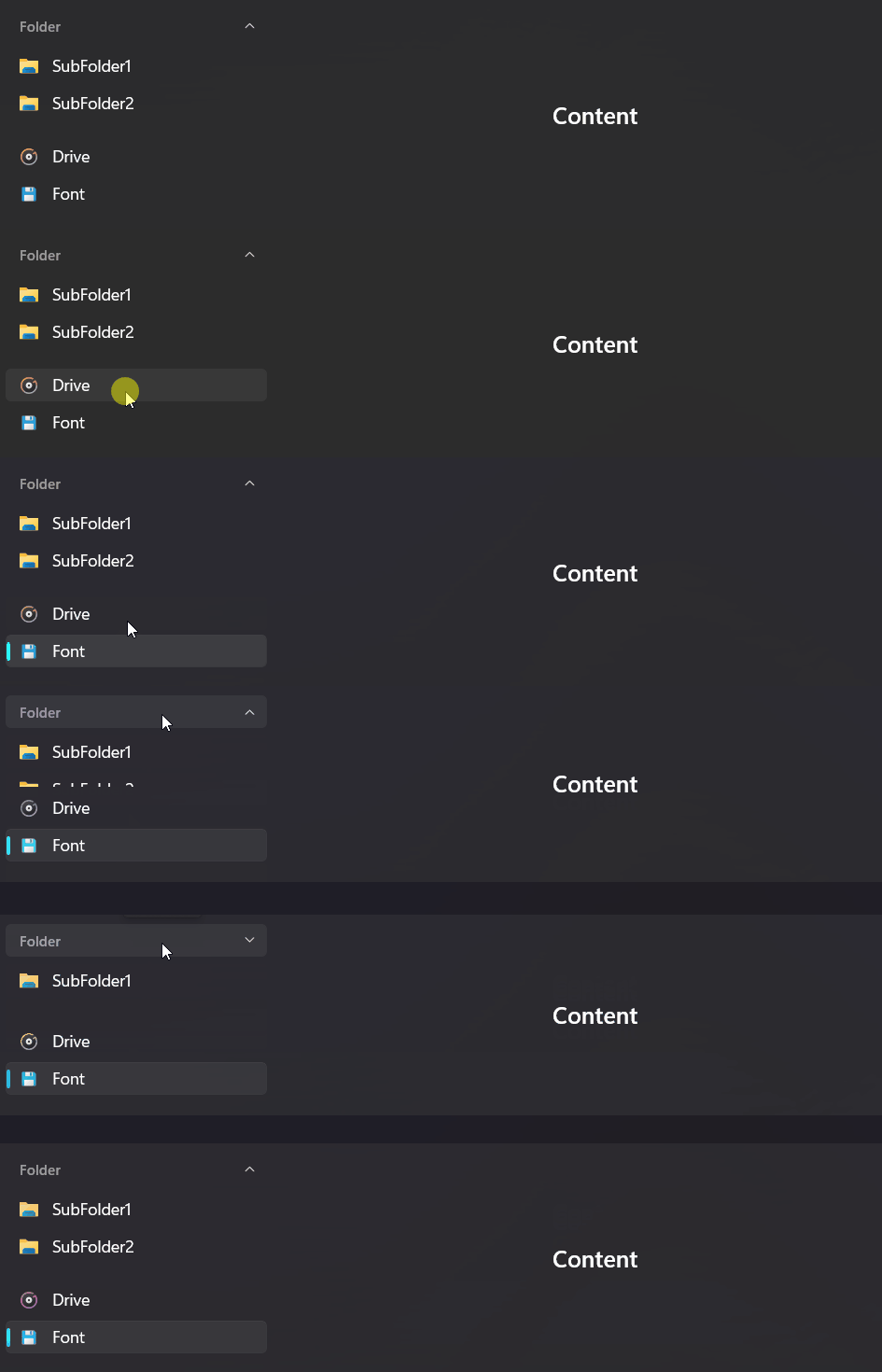
Demo
you can run demo and see this feature.