ColorShadow control provides a shadow to an image. This shadow is derived from the colors of the image around its borders. ColorShadow control internally has two visual layers - the top layer is used to display the original image while the bottom layer is used to display the shadow generated from the image. It is also possible to provide a drop shadow to the the top layer.
Property
| Name |
|---|
| ColorShadowBlurRadius |
| ColorShadowOpacity |
| ColorShadowPadding |
| ImageUri |
| IsShadowEnabled |
| ColorMaskBlurRadius |
| ColorMaskPadding |
| ShadowBlurRadius |
| ShadowColor |
| ShadowOffsetX |
| ShadowOffsetY |
| ShadowOffsetZ |
| ShadowOpacity |
| Stretch |
| IsRounded |
| Mask |
Example
1 | <dev:ColorShadow ColorMaskBlurRadius="11" |
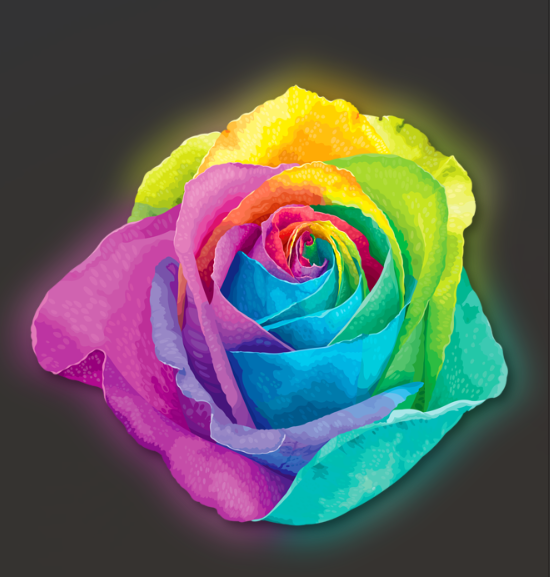
Demo
you can run demo and see this feature.